Deriv Deposit and Withdraw: Methods, Limits, Processing Times

Different funding channels — card, e-wallet, local bank transfer, internal wallet or cryptocurrency — each have distinct processing times, supported currencies and acceptance rules that vary by country and provider. You’ll also find clear troubleshooting steps for pending or failed deposits, an overview of withdrawal approval checks, and practical tips for matching payout destinations with your verified account details to reduce holds and refunds.

Withdrawal and Deposit Method
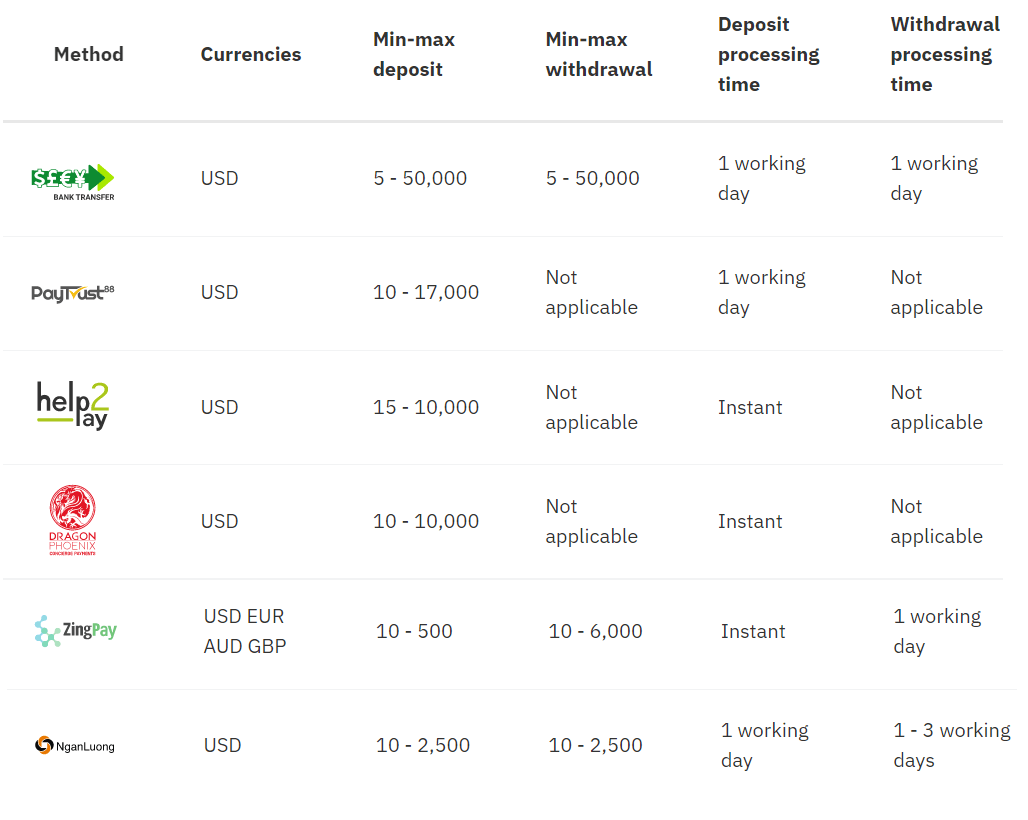
Online Banking
Credit/debit cards
Note: Withdrawals may take up to 15 working days to reflect on your card. Mastercard and Maestro withdrawals are only available for UK clients.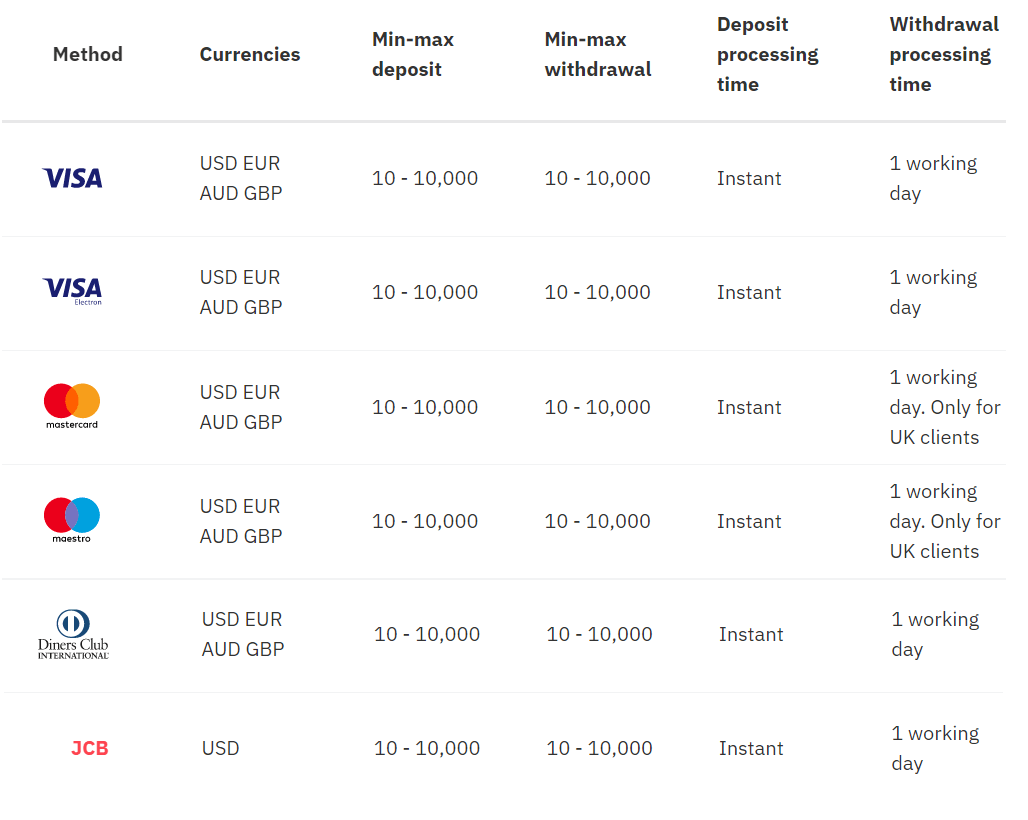
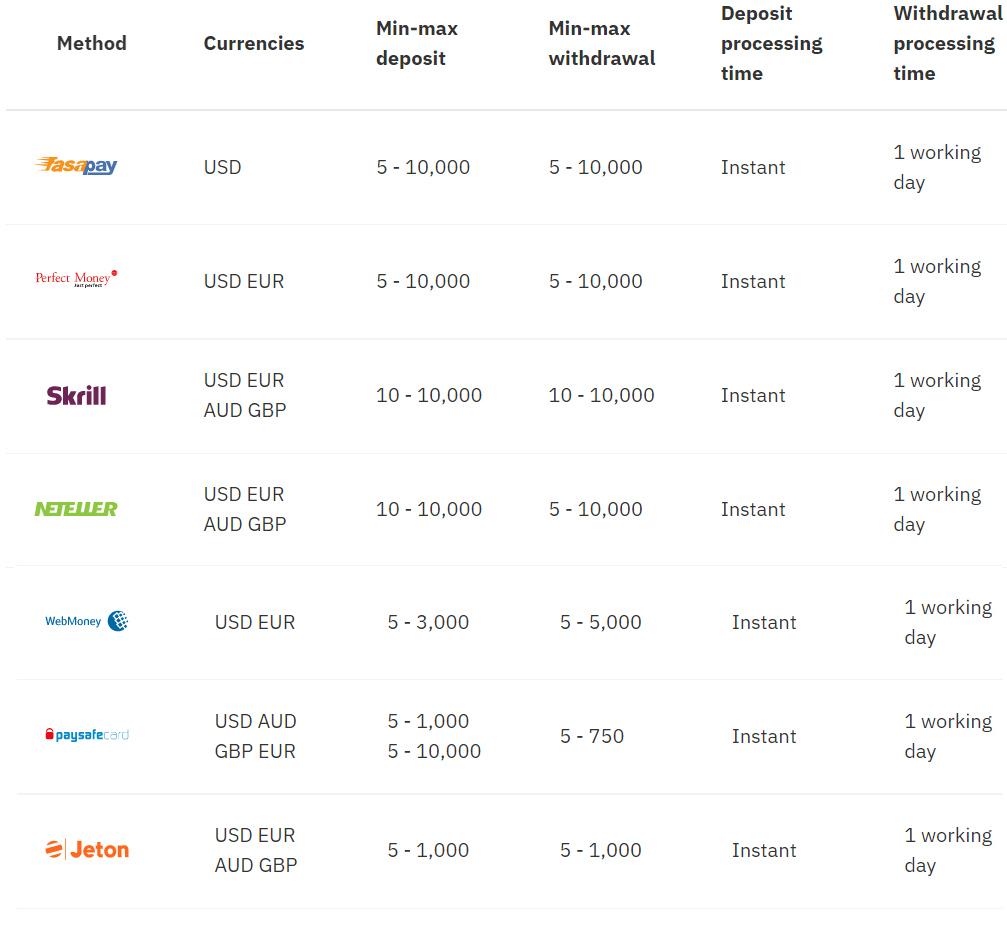
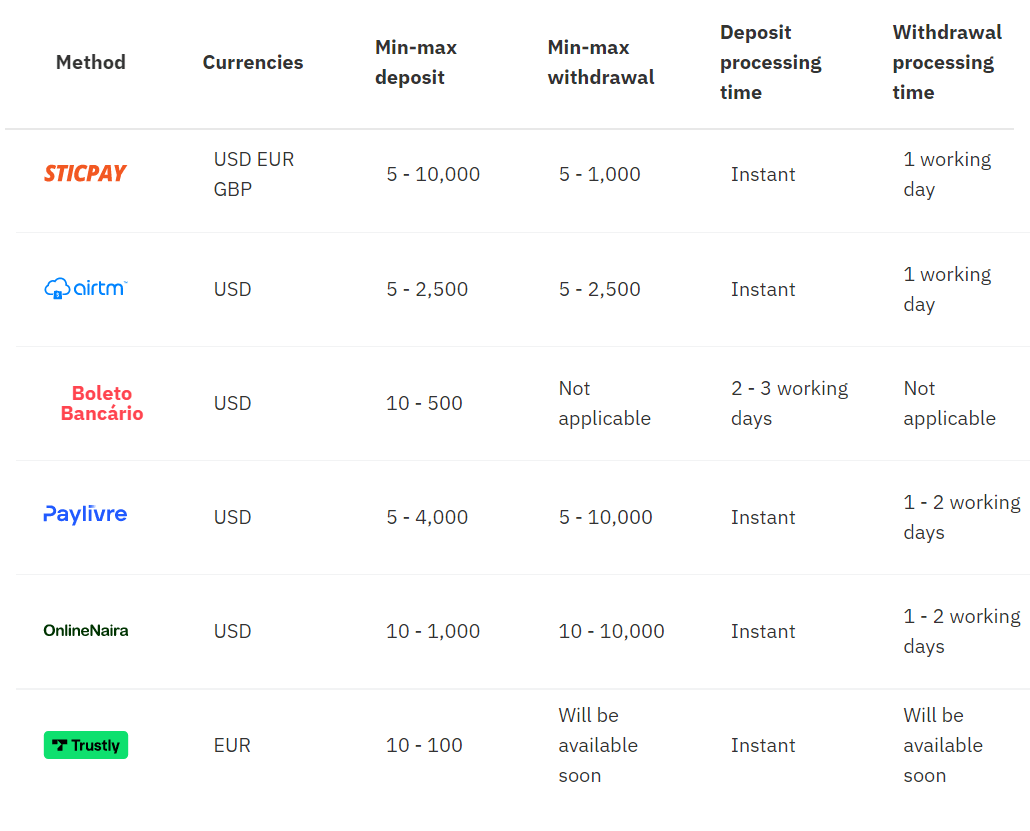
E-wallets
Cryptocurrencies
Note: The minimum amount for withdrawal will vary depending on the latest exchange rates. The figures shown here have been rounded.
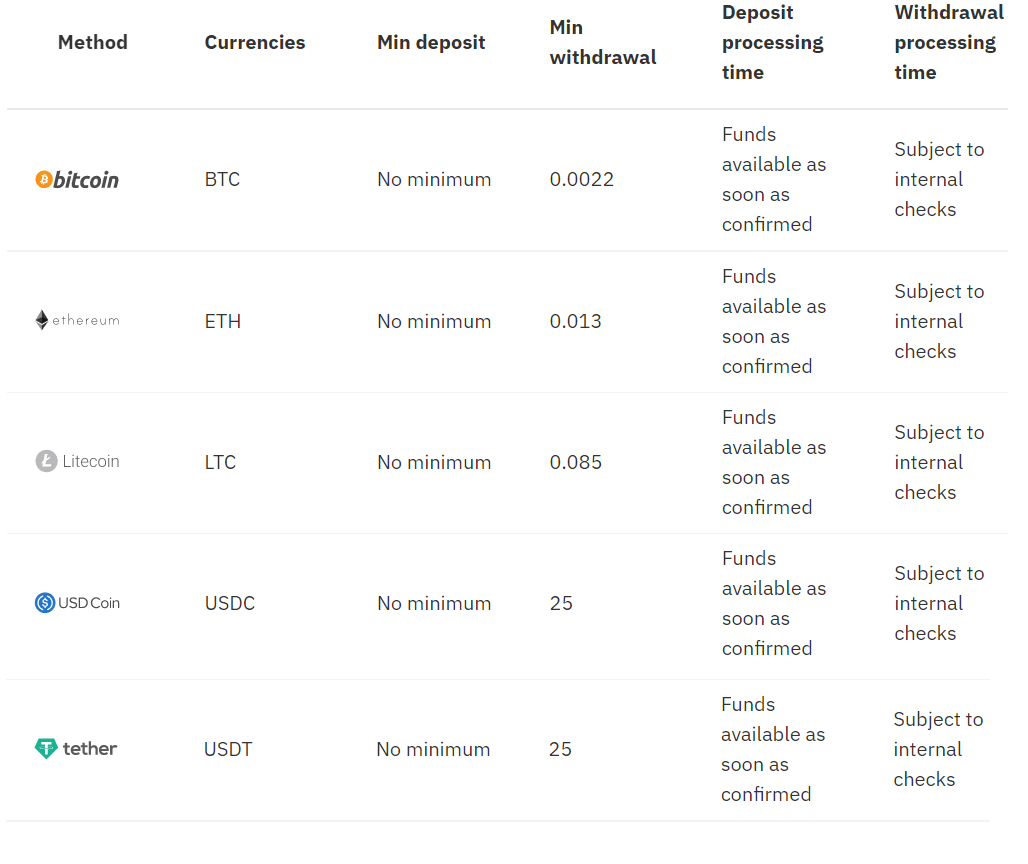
Fiat onramp - Buy crypto on popular exchanges
Note: These payment methods are available exclusively for our clients with crypto trading accounts.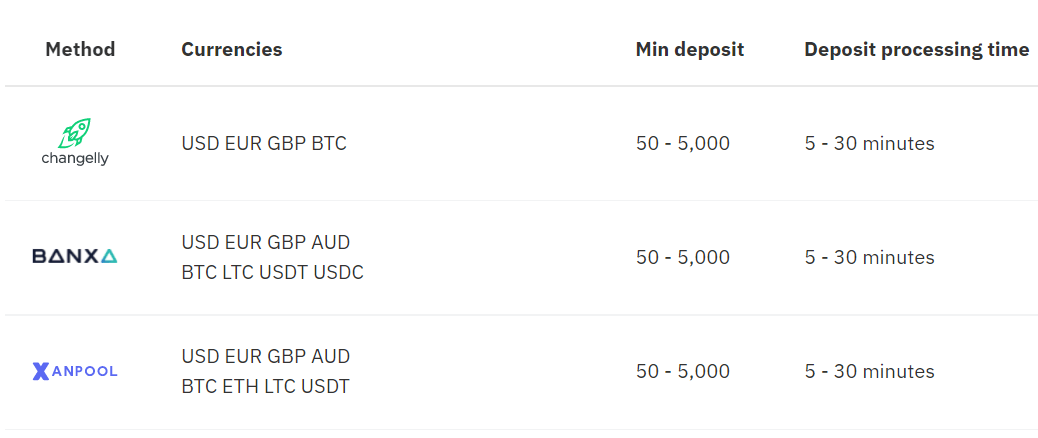
How to Withdraw Money from Deriv
Withdrawal using Visa credit or Debit card
Currencies
- USD, GBP, EUR, and AUD
- Withdrawals: 1 working day
- 10-10,000
* Min and max amounts apply to USD, GBP, EUR, and AUD.
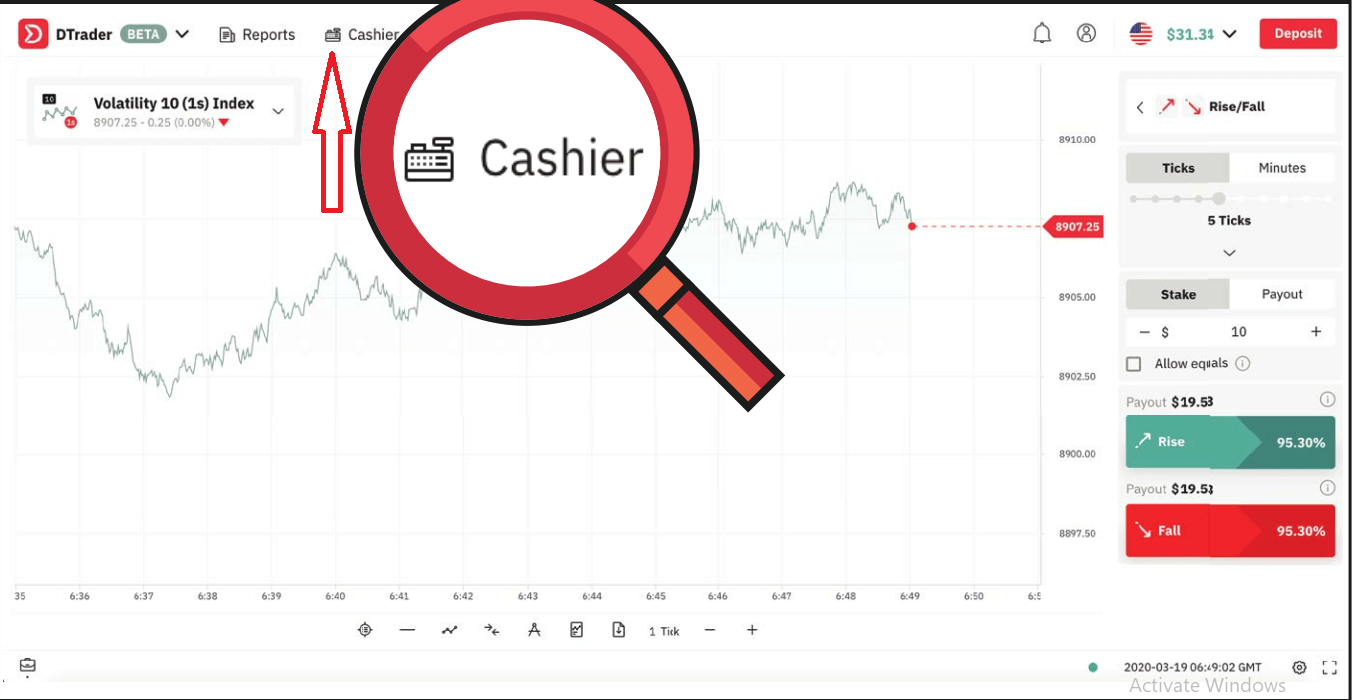
1. Log in to your Deriv account and click on Cashier.
2. Click on Withdrawal. You will receive an email asking you to verify your withdrawal request
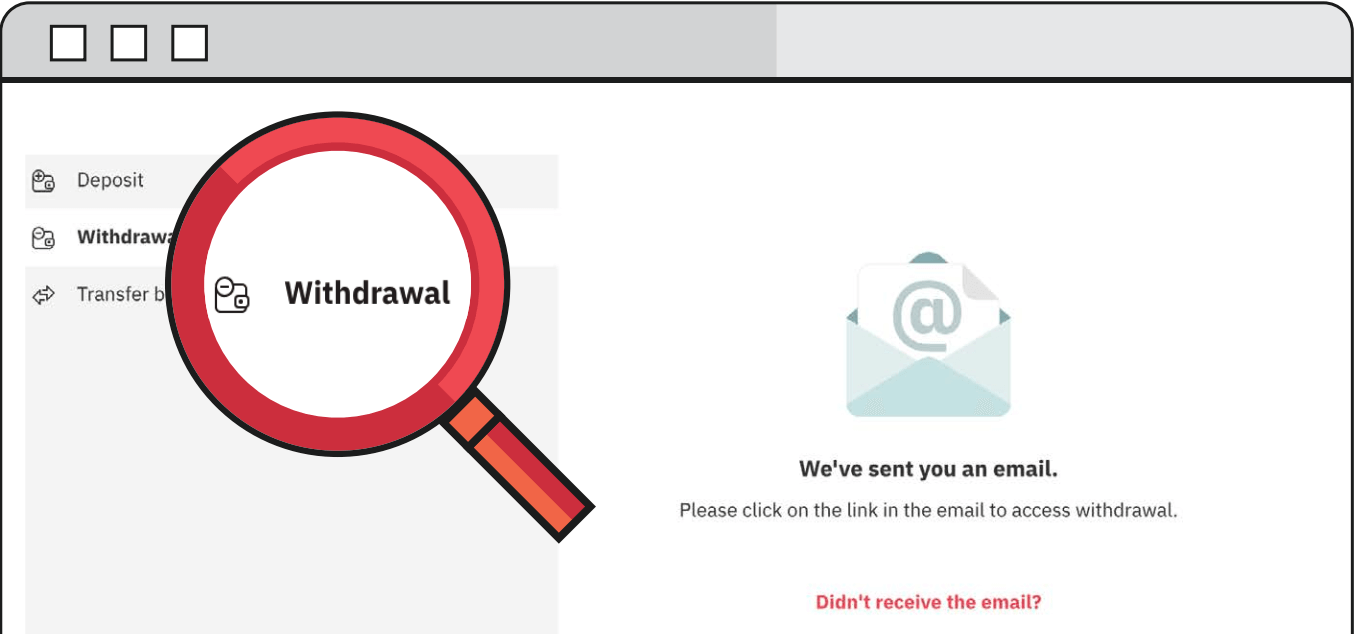
3. Follow the link that is sent to your email and it will redirect you to the Deriv cashier.
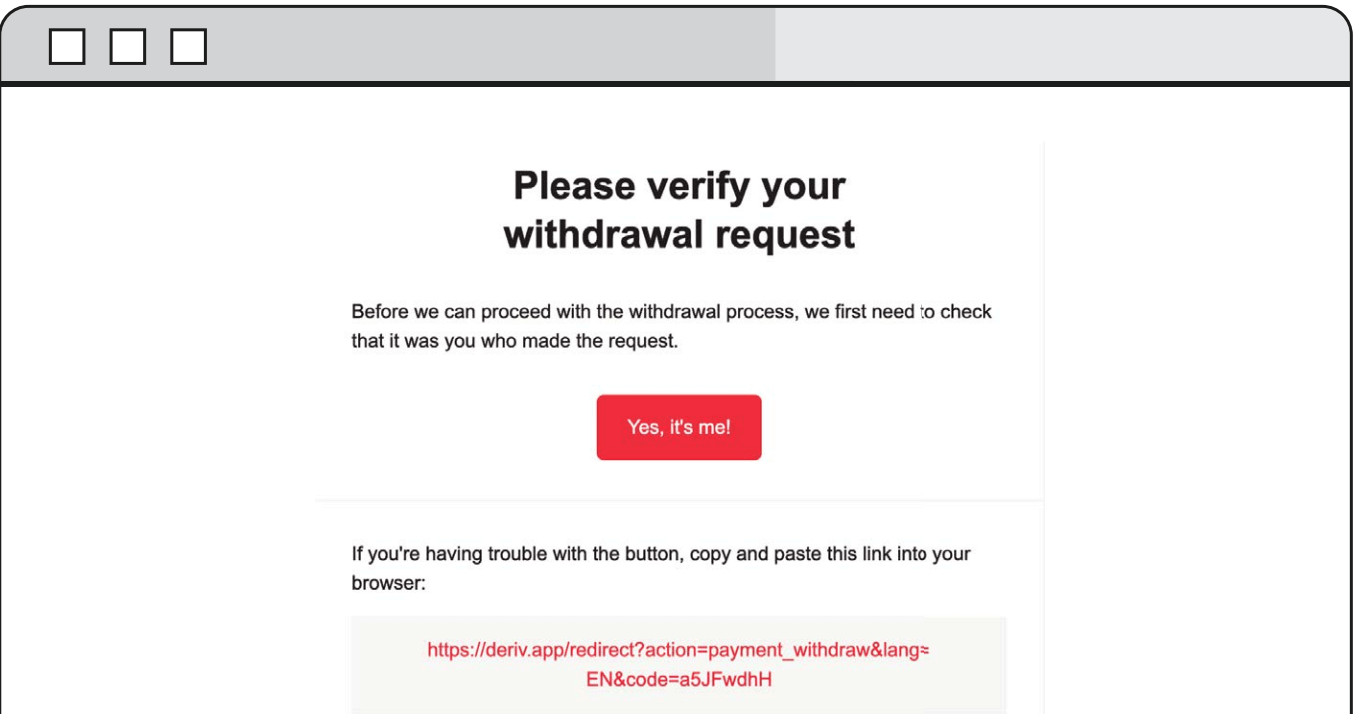
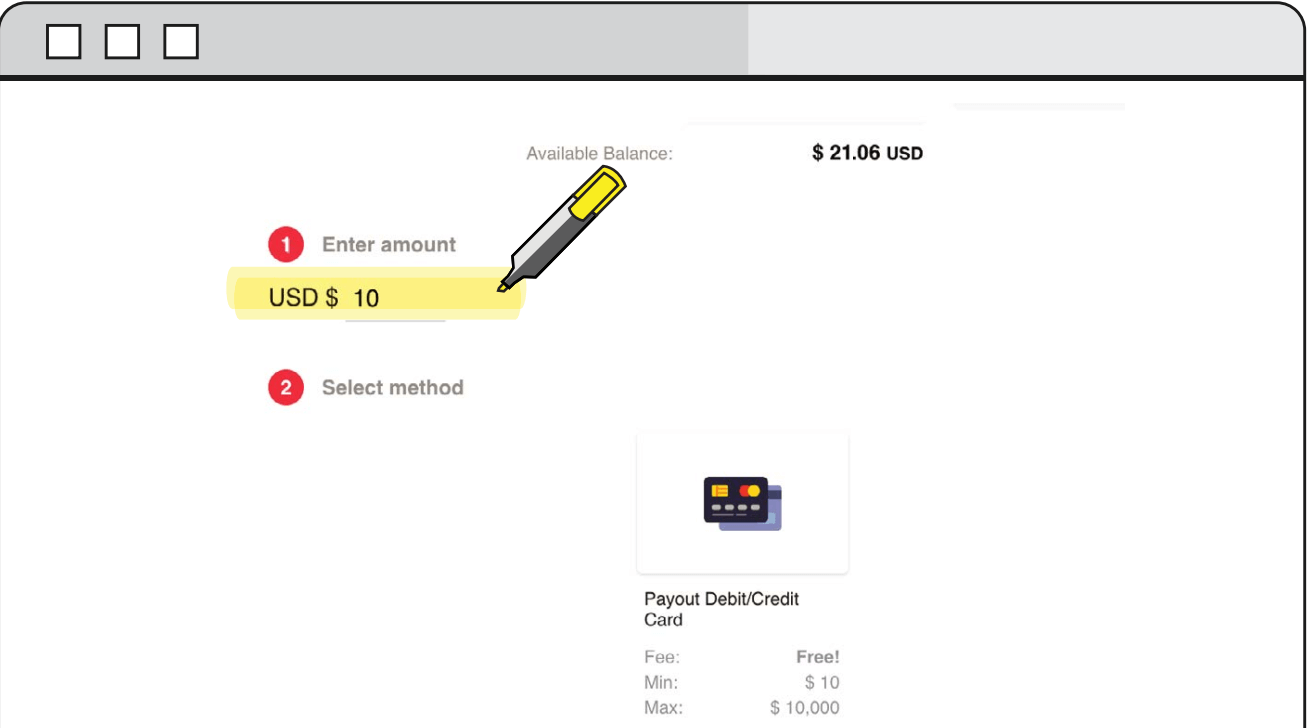
4. Enter the desired amount that you wish to withdraw from your Deriv account and select Debit/Credit card as your method of withdrawal.
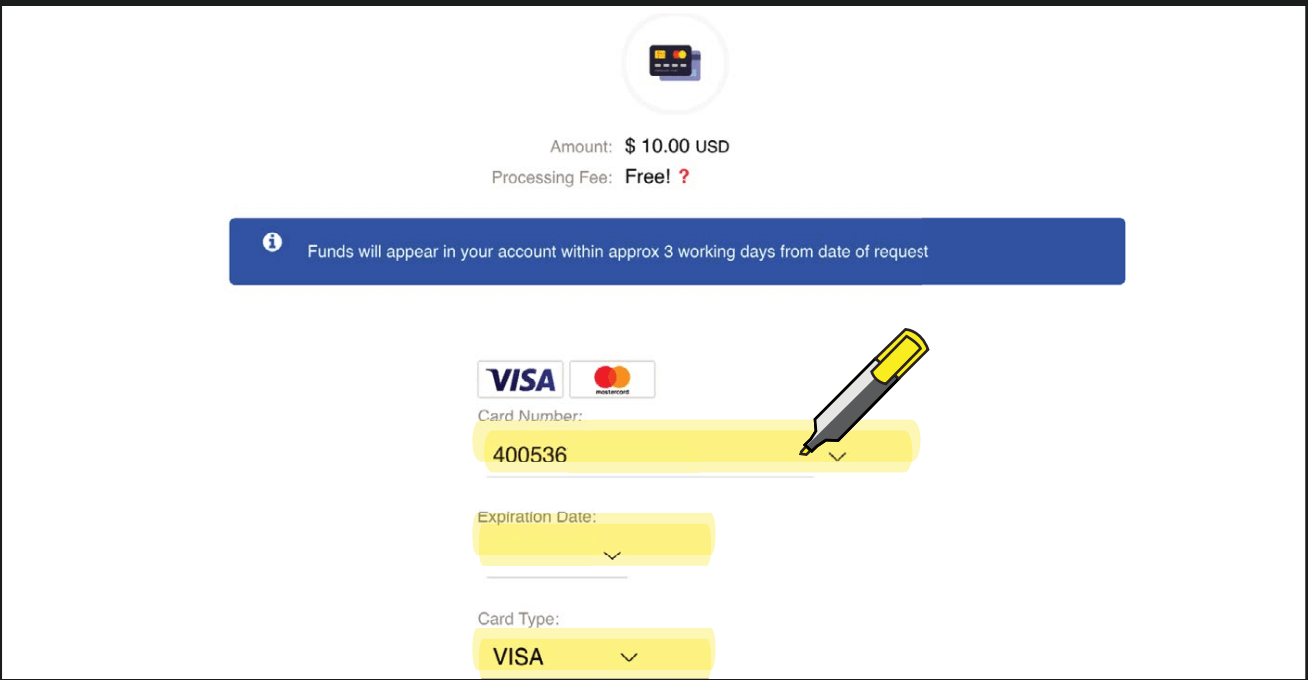
5. Enter the required card credentials.
6. You will then receive a confirmation of the withdrawal request.
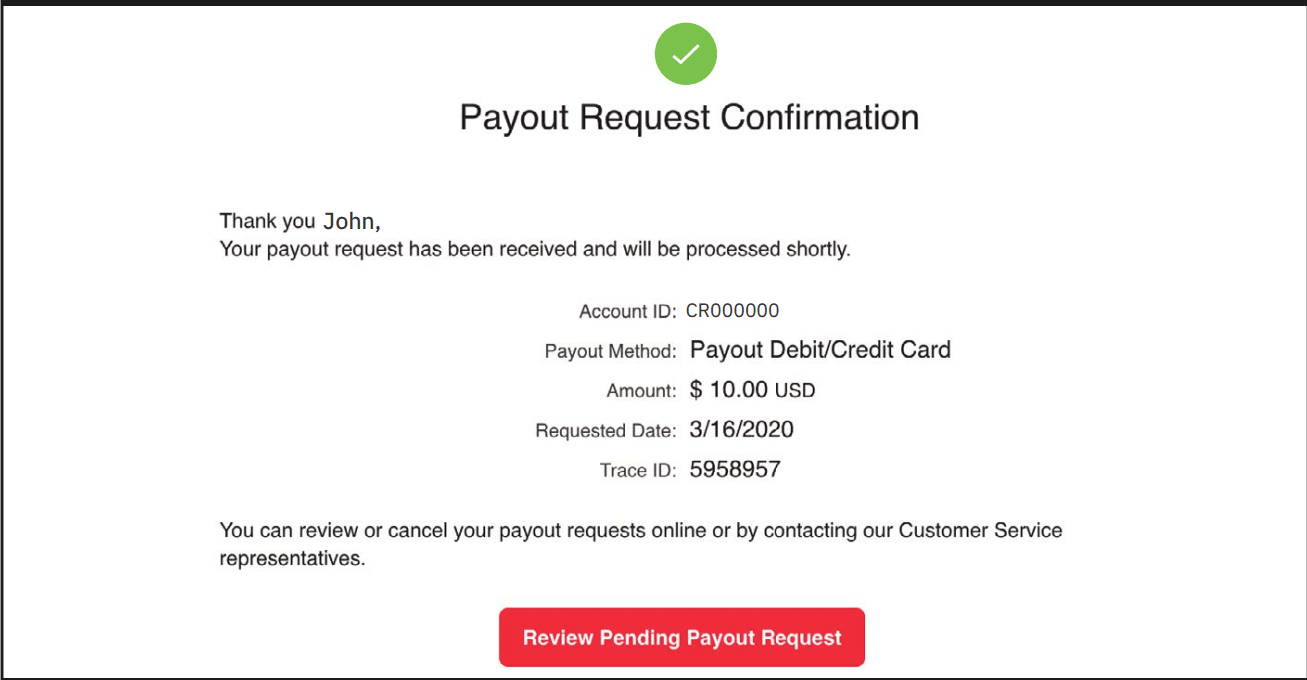
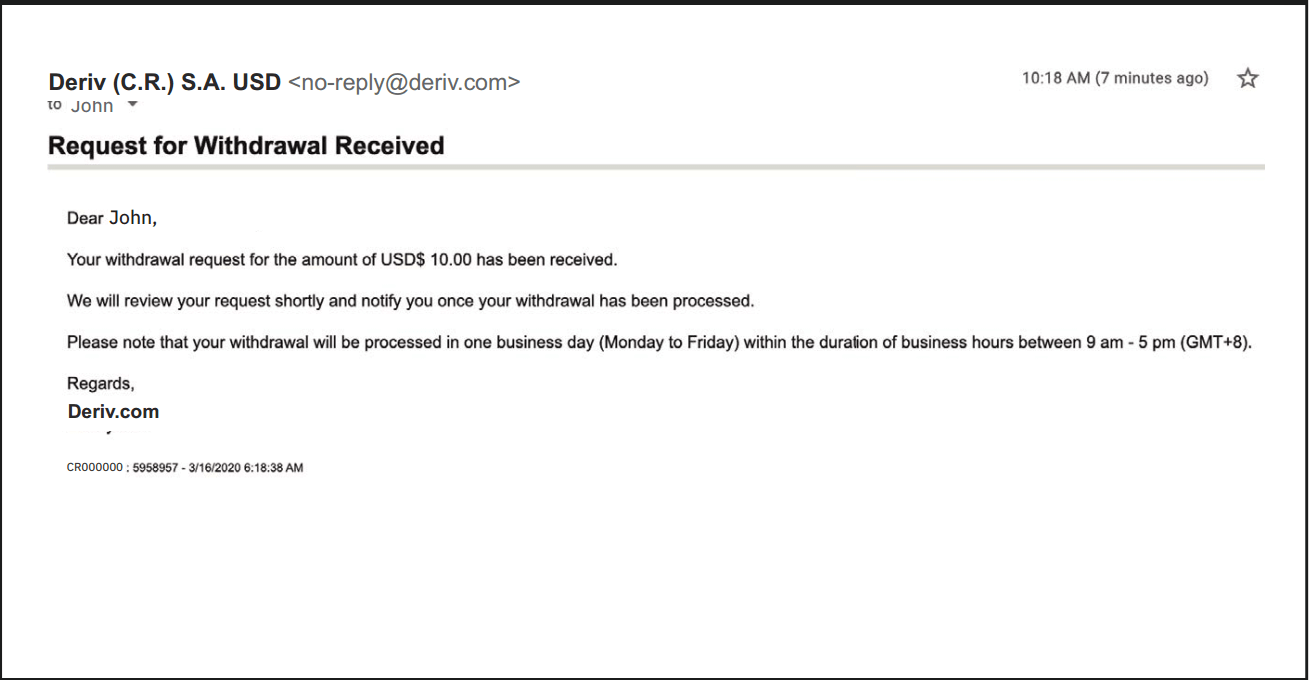
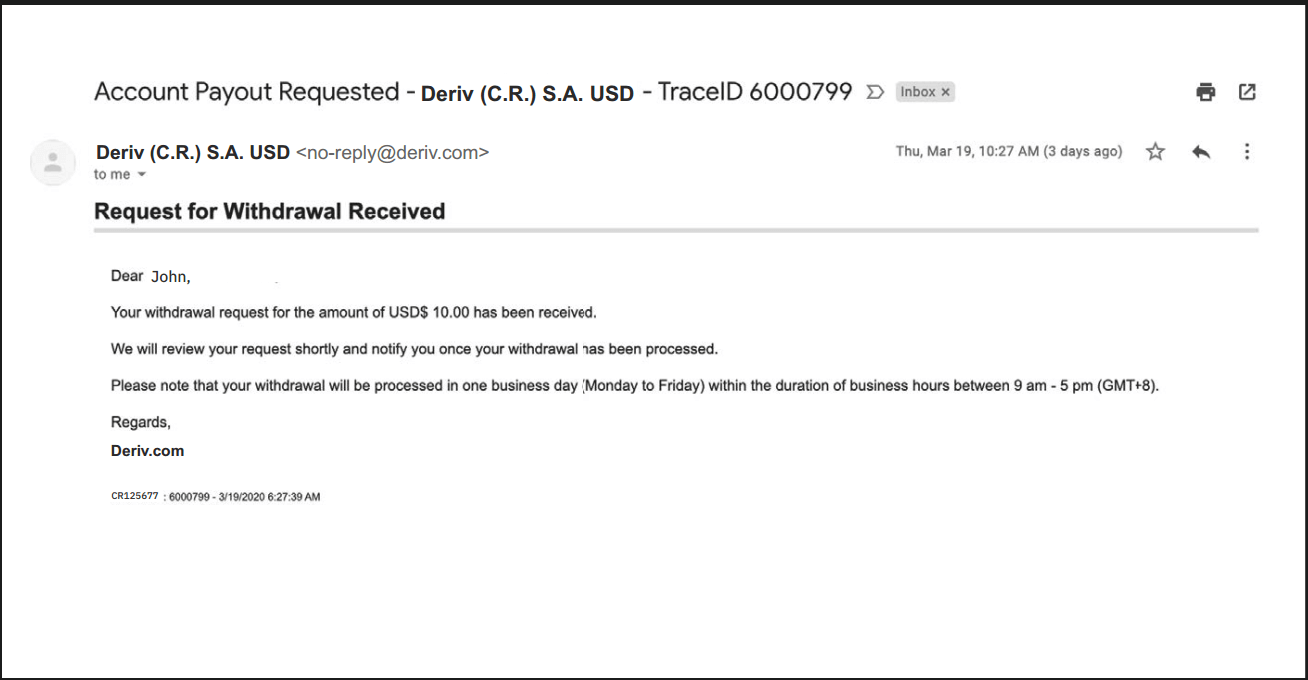
7. You will receive an email confirmation stating that the request for the withdrawal was received along with the processing time.
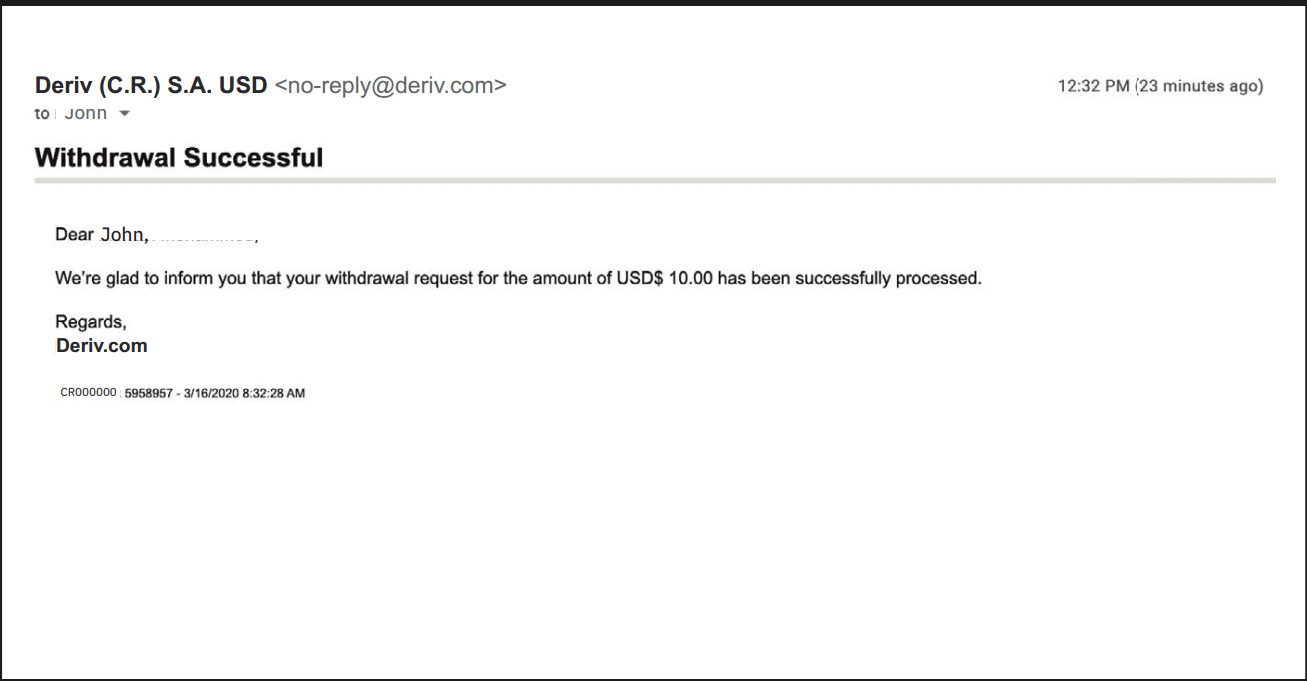
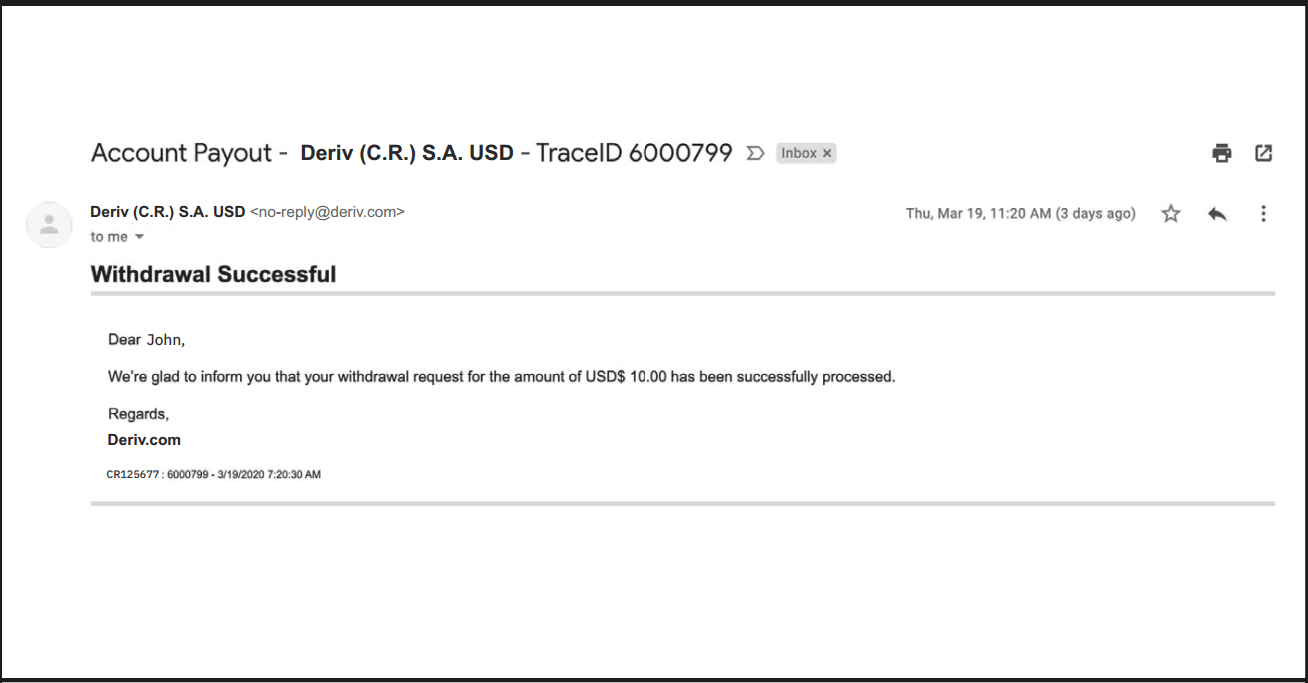
8. Once the withdrawal has been processed, you will receive another email stating that it was successful and the funds will be reflected on your chosen card
Withdrawal using FasaPay
Currencies
- USD
- Withdrawals: 1 working day
- 5-10,000
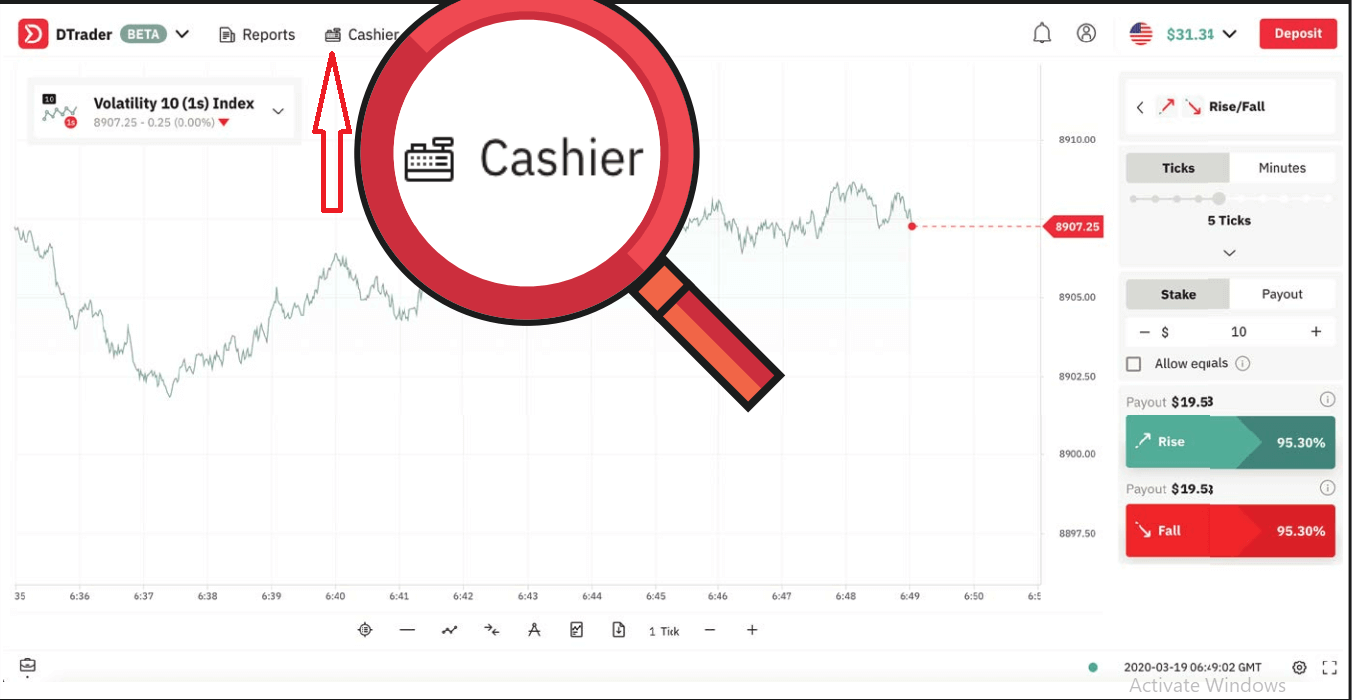
1. Log in to your Deriv USD account and select Cashier.
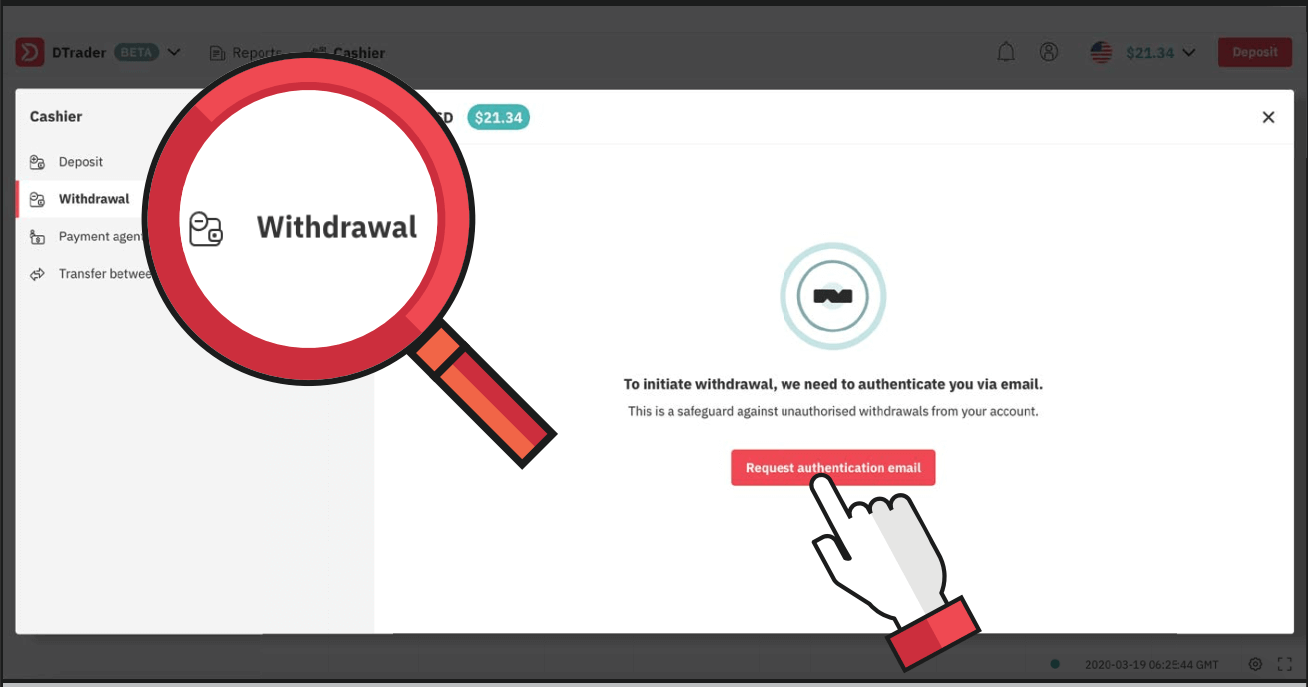
2. Choose Withdrawal and click on Request authentication email.
3. You will receive an email to verify your withdrawal request. Click on Yes, its me! or copy and paste the link into your browser.
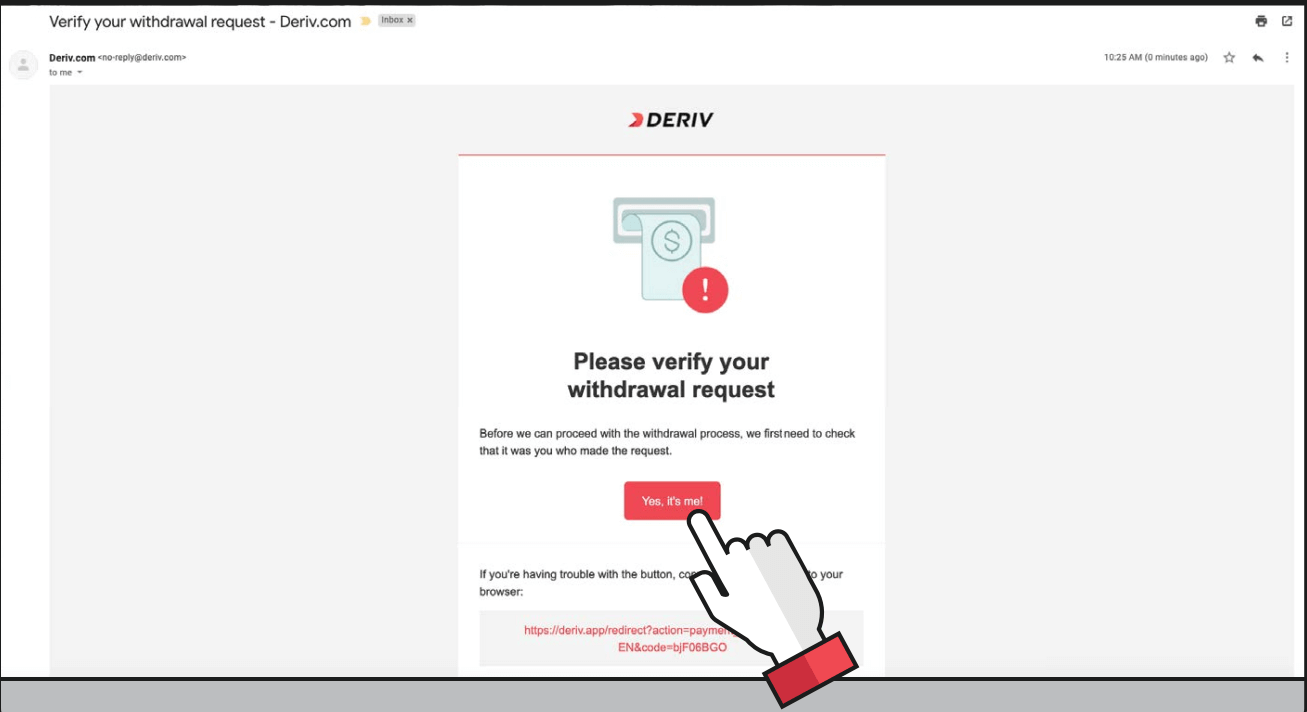
4. Enter the amount you wish to withdraw and select FasaPay.
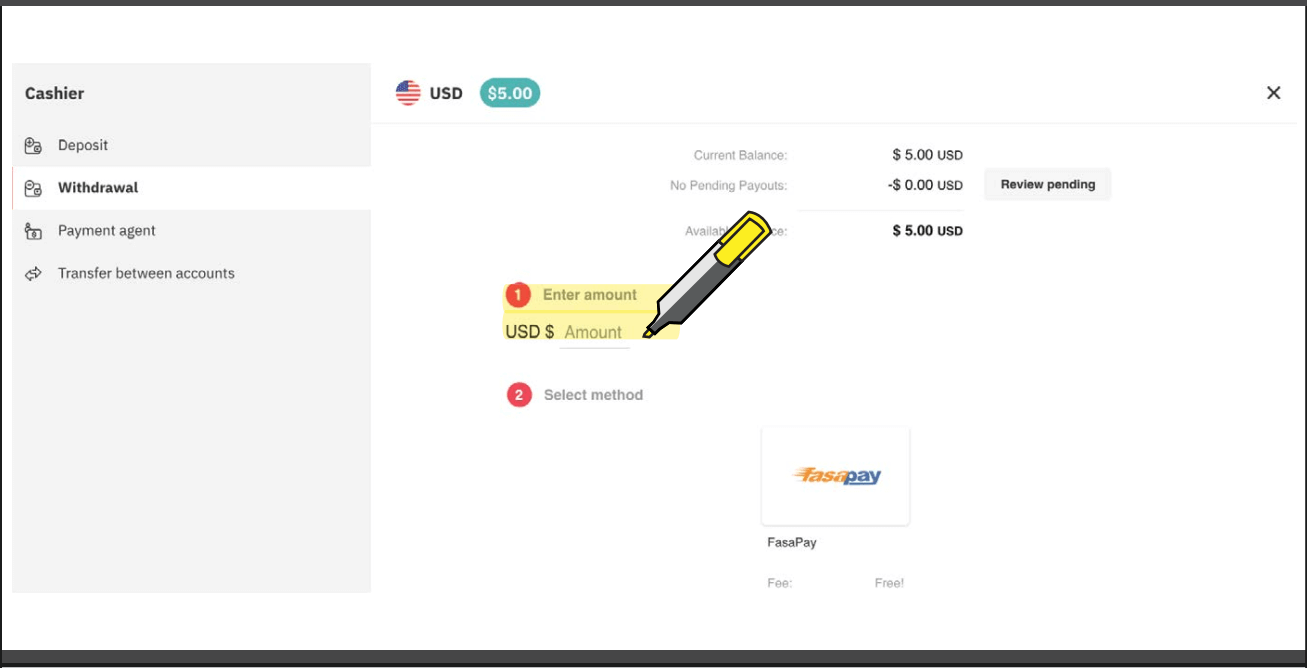
5. Enter your FasaPay account number and click on Request payout.
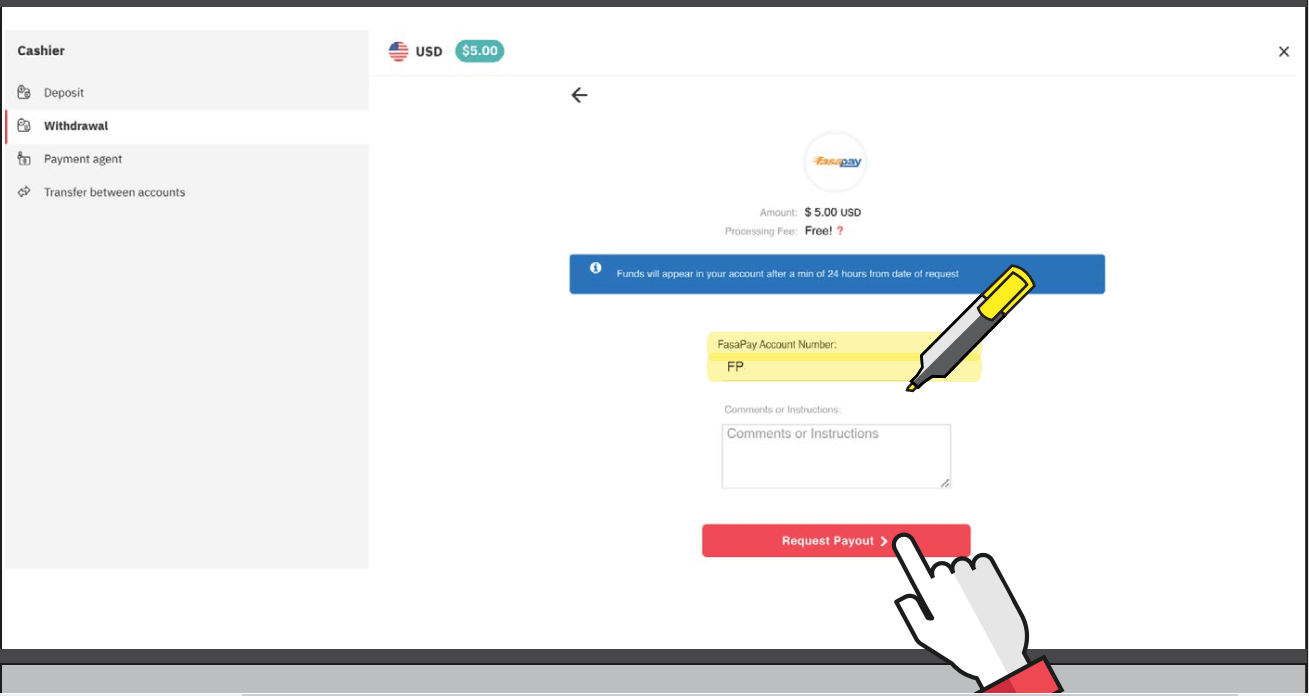
6. You will then receive a payout request confirmation message.
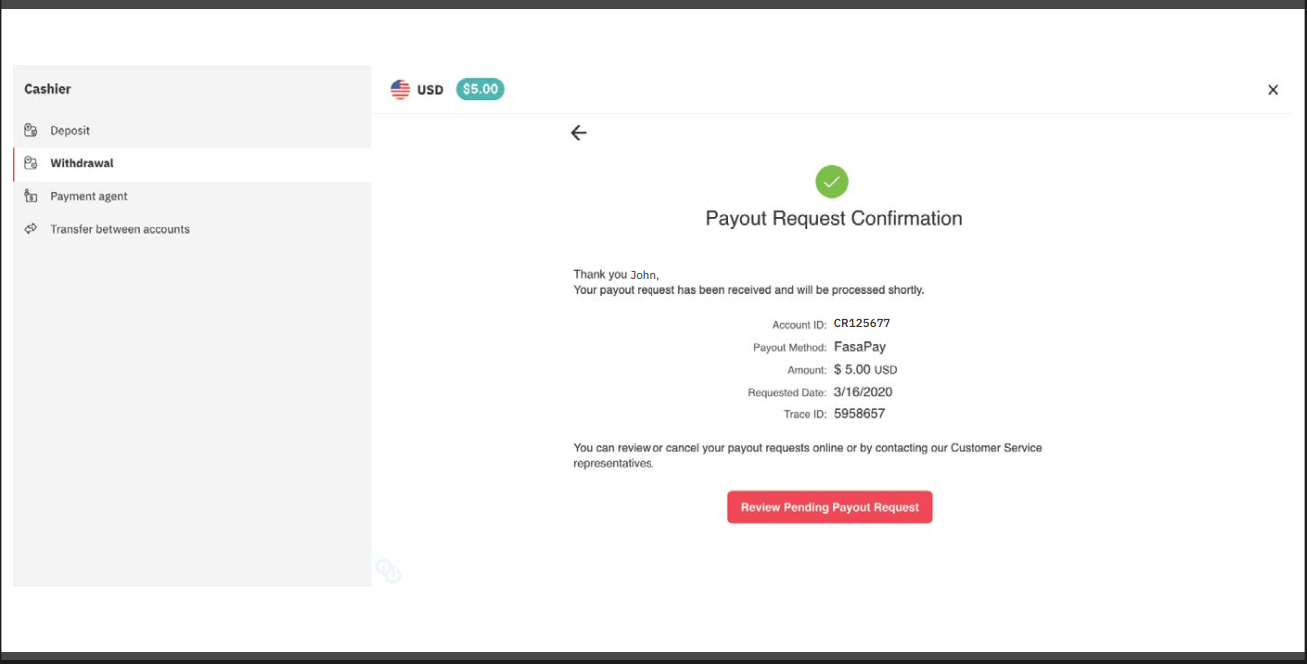
7. You will receive a payout request confirmation email.
8. You will also receive an email notification for your successful withdrawal
Withdrawal using Bitcoin (BTC)
Processing time- Subject to internal checks
Min withdrawal
- Equivalent to 25 USD
1. Log in to your Deriv BTC account and go to Cashier.
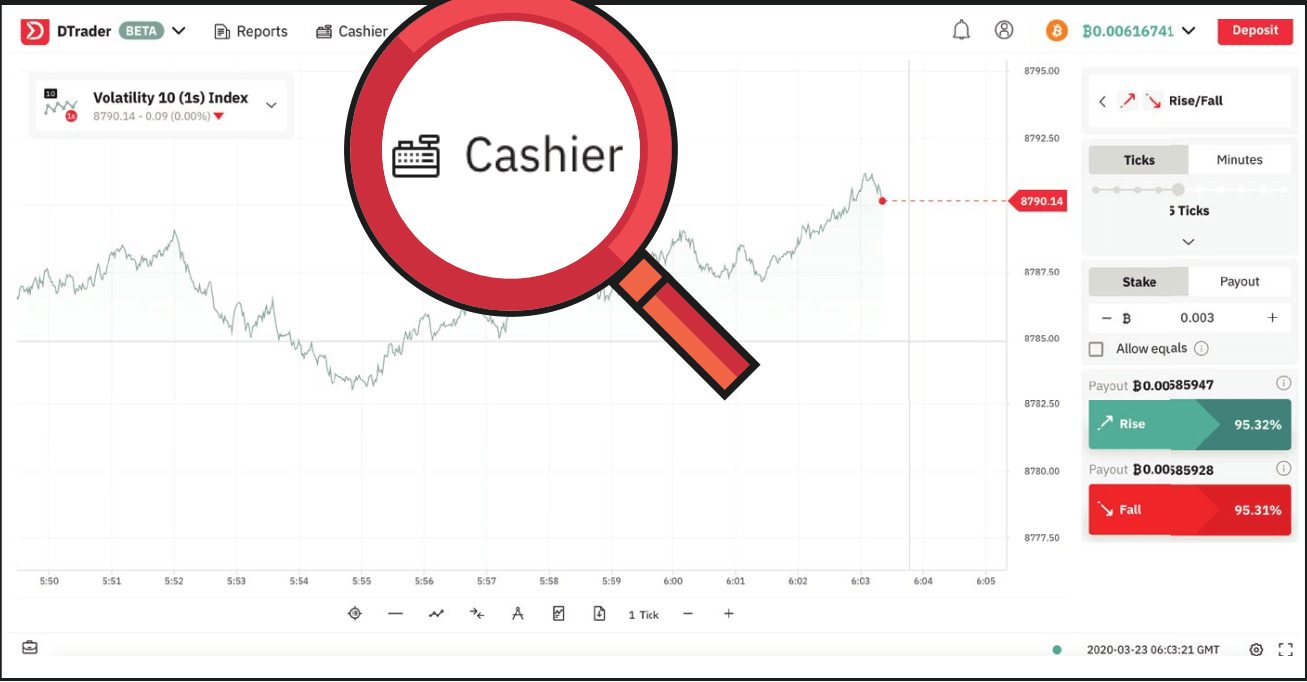
2. Select Withdrawal and click on Request authentication email.
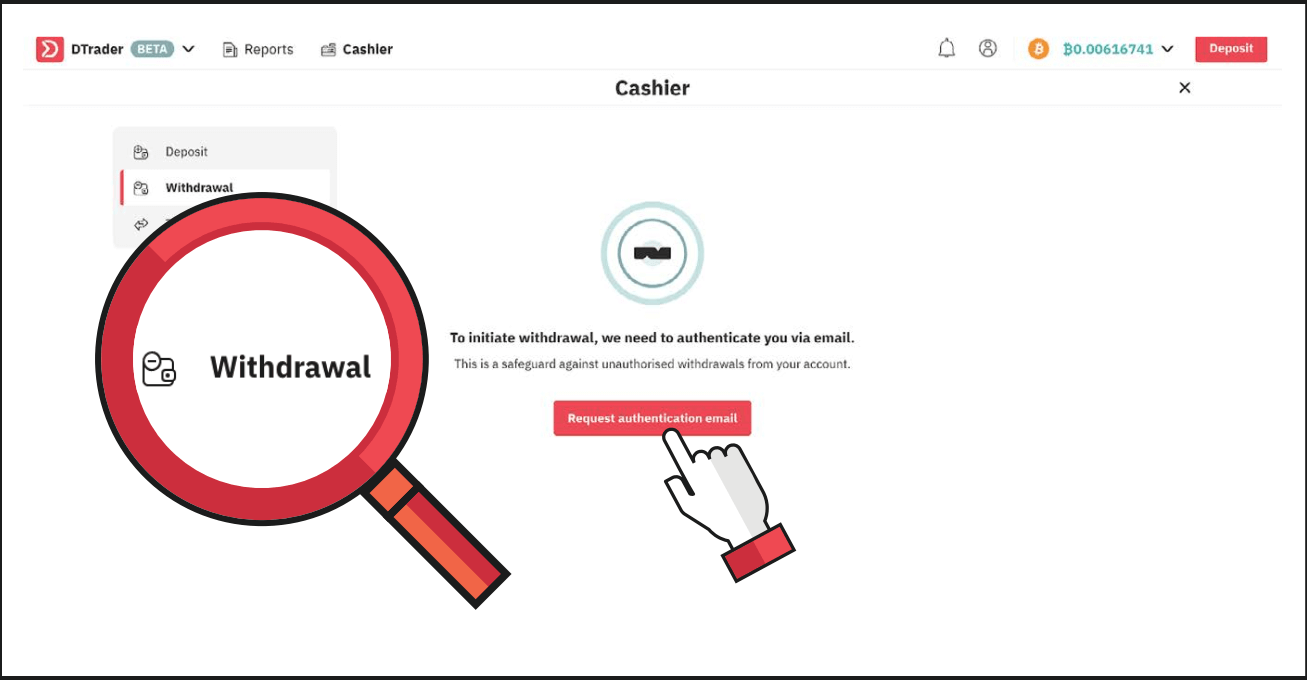
3. You will receive a verification email for the withdrawal request. Click on Yes, its me!
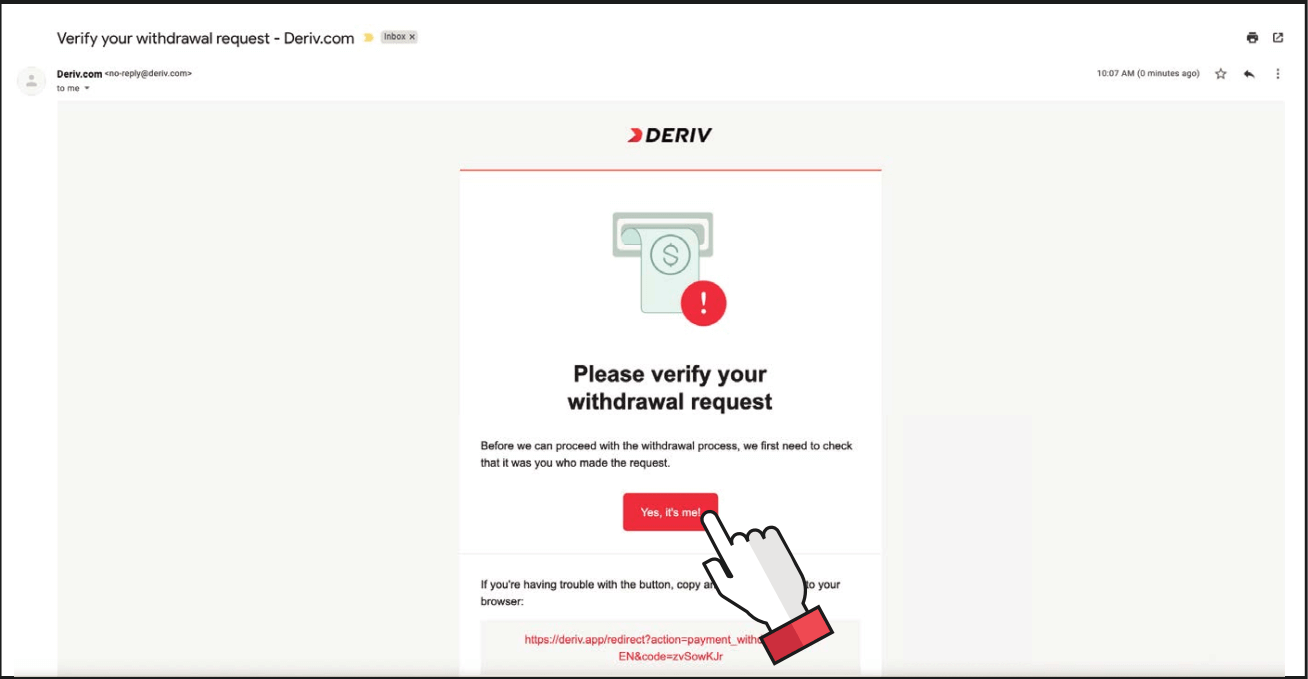
4. You will be redirected to the Deriv cashier. Enter your BTC wallet address and the amount you wish to withdraw, and click on Withdraw.
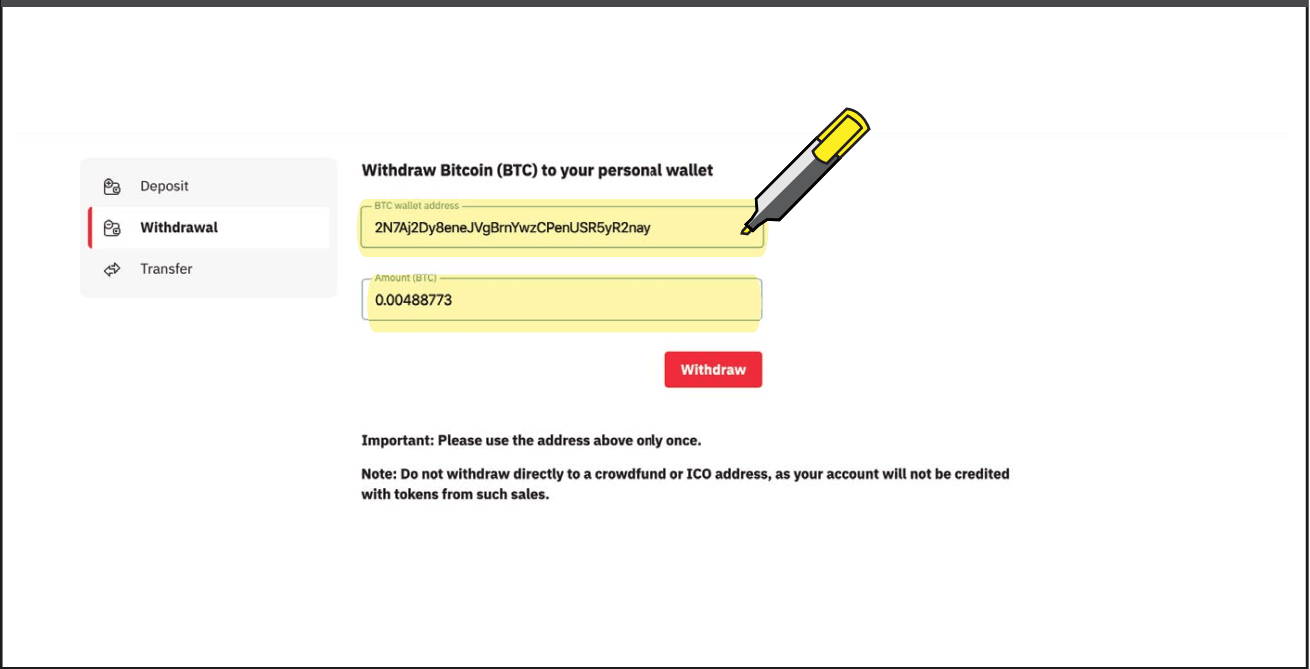
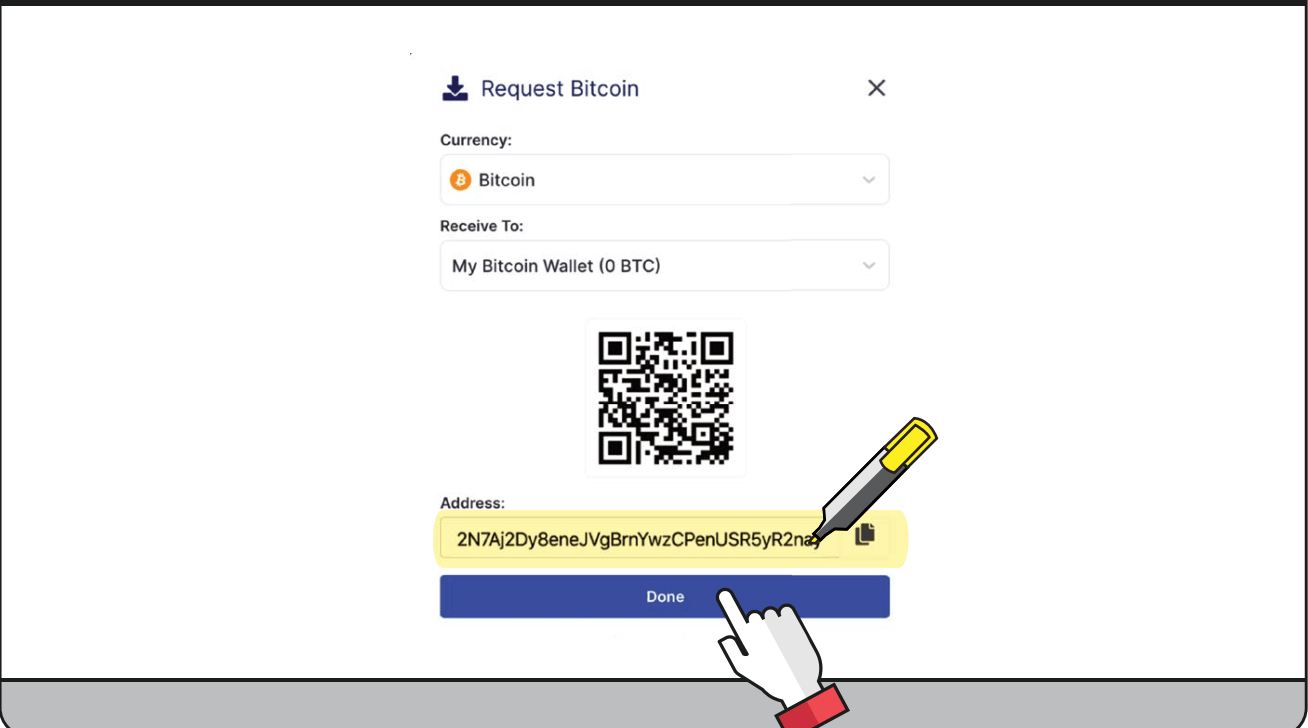
5. Copy your BTC wallet address from your blockchain wallet and click Done.
6. You will then see the transaction as pending. Processing is subject to internal checks. Once successful, your funds will be reflected in your blockchain wallet.
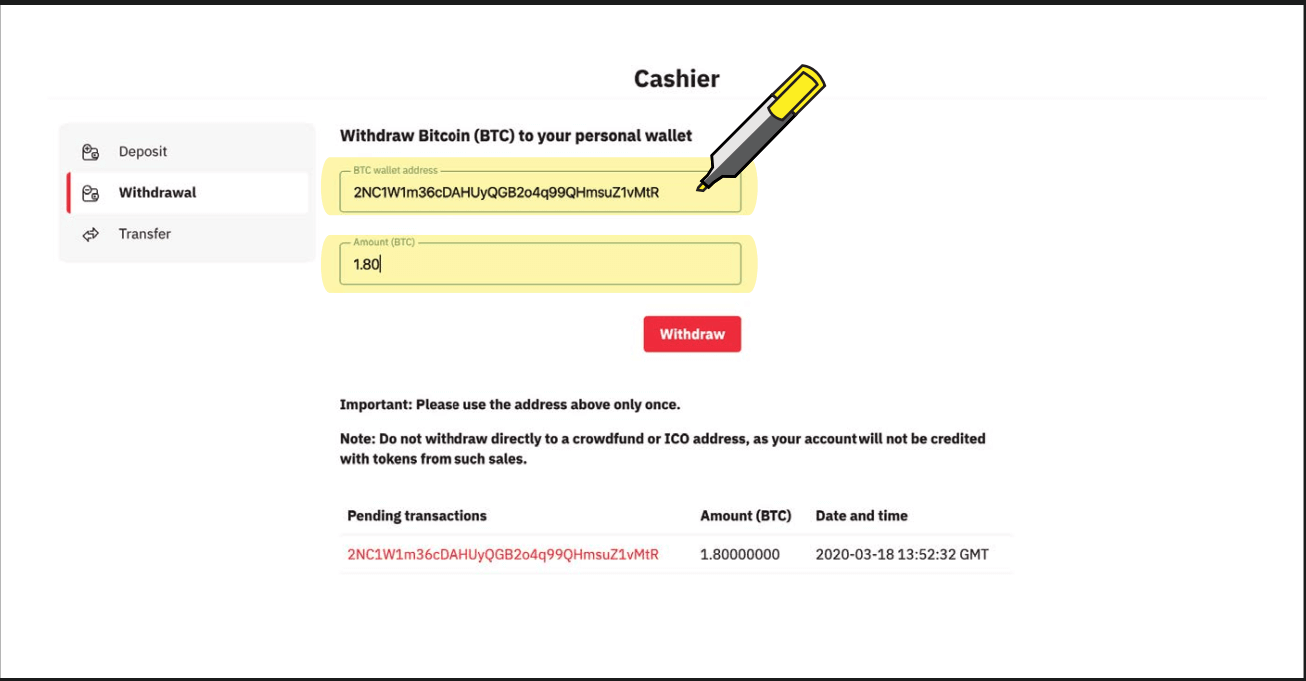
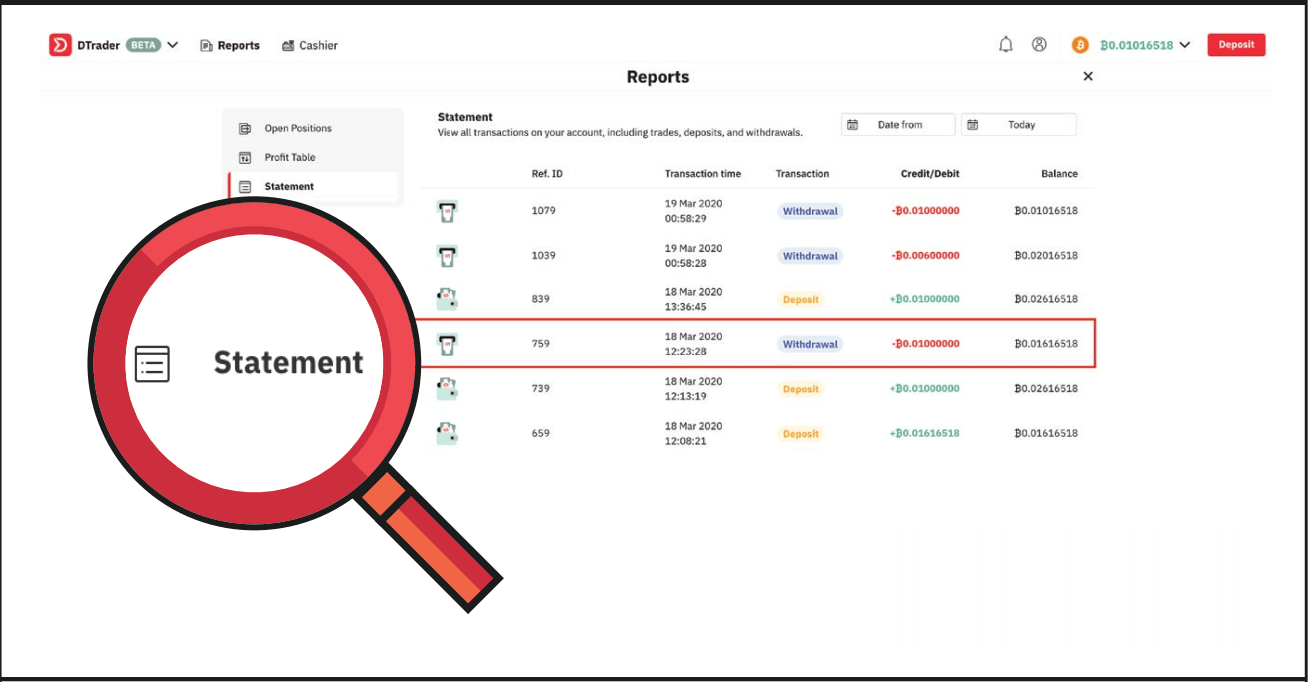
7. You can view the successful withdrawal in your Deriv account statement.
FAQ of Withdrawal
How long does it take to process withdrawals?
Your deposits and withdrawals will be processed within one business day (Monday to Friday, 9:00 am–5:00 pm GMT+8) unless stated otherwise. Please note that your bank or money transfer service may require additional time to process your request.
My withdrawal verification link expired. What should I do?
This problem might be a result of clicking on the ‘Withdraw’ button multiple times. Try to withdraw once again, and then click on the latest verification link sent to your email. Please make sure that you use the link within one hour.
How can I lift my withdrawal limits?
You can lift your withdrawal limits by verifying your identity and address. To see your current withdrawal limits, please go to Settings Security and safety Account limits.
Can I withdraw my deposit bonus?
You may withdraw the free bonus amount once you have exceeded an account turnover of 25 times the bonus amount value.
Why cant I withdraw funds to my Maestro/Mastercard?
Mastercard and Maestro card withdrawals are only available for UK clients. If you are not from the UK, please withdraw using an e-wallet or cryptocurrency instead.
How can I withdraw funds from my DMT5 real money account?
To withdraw funds from your MT5 account on Deriv, you’ll need to transfer the funds to your Deriv account. Go to Cashier Transfer between accounts and follow the instructions on the screen.Transfers are instant. Once you’ve completed all the steps, your DMT5 account balance will be updated immediately.
How do I withdraw funds from my Deriv X real money account?
To withdraw funds from your Deriv X account on Deriv, you’ll first need to transfer the funds to your Deriv account. Go to Cashier Transfer between accounts and follow the instructions on the screen.To withdraw from your Deriv account into your personal account, go to Cashier - Withdrawal and follow the instructions on the screen. You’ll need to verify your identity and confirm your withdrawal amount.
After the required processing time of your selected payment method, your funds will be deposited into your personal account. You can check processing times on our Payment methods page.
How to Deposit Money at Deriv
Deposit using Visa credit or Debit card
Currencies
- USD, GBP, EUR, and AUD
- Deposits: Instant
- 10-10,000
* Min and max amounts apply to USD, GBP, EUR, and AUD.
1. Log in to your Deriv account and click on Cashier
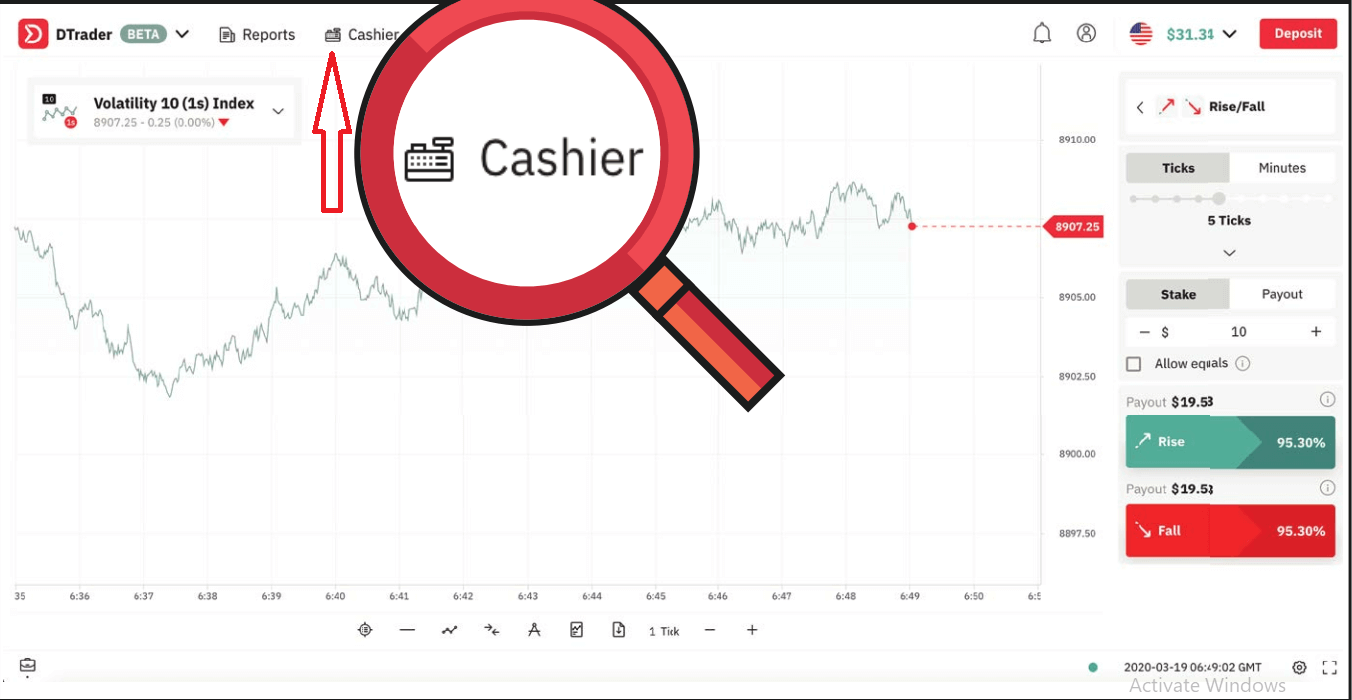
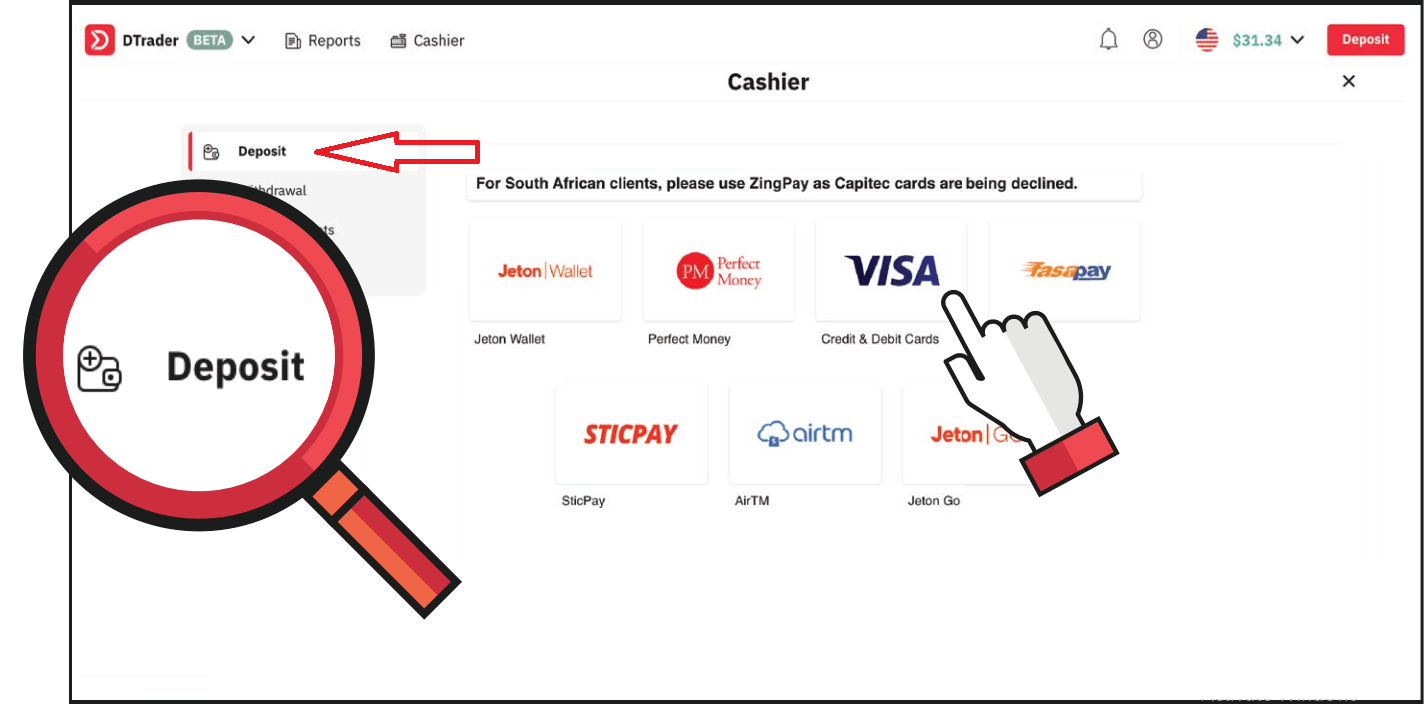
2. Click on Deposit and select VISA
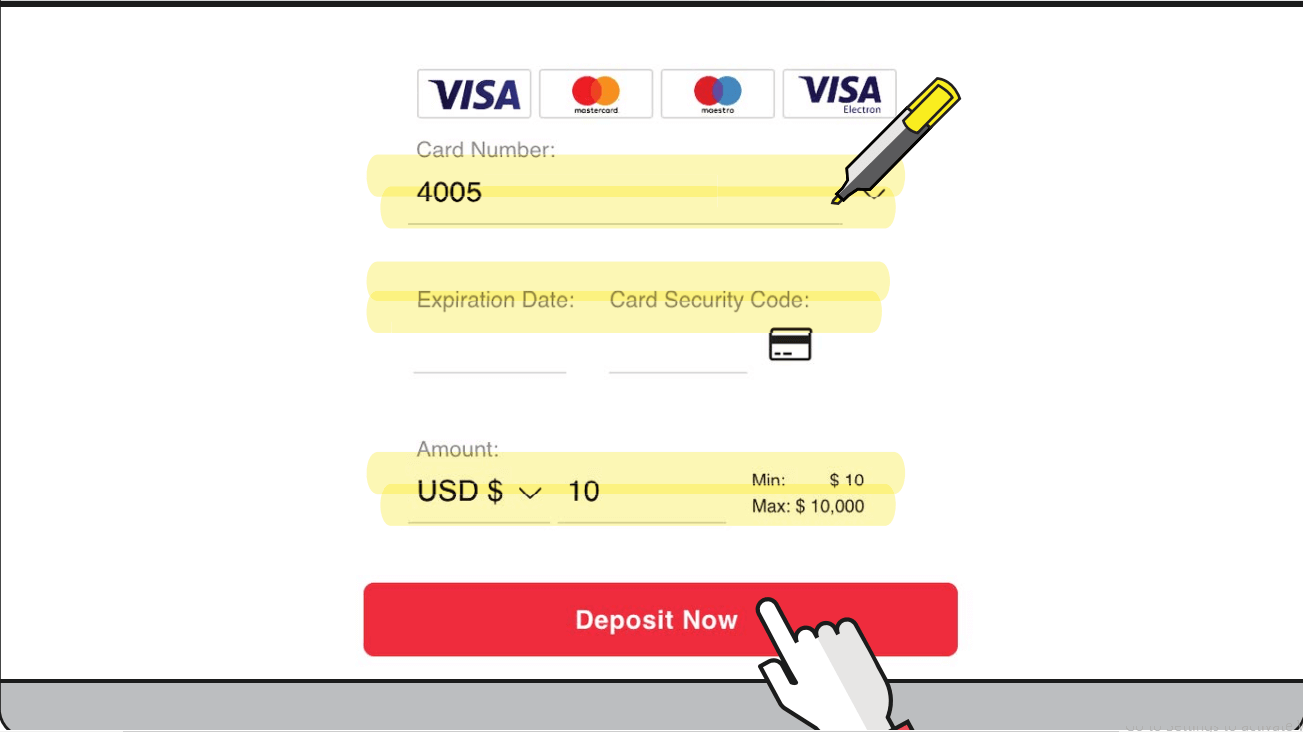
3. Enter your card credentials and the amount you wish to deposit. Then click Deposit now
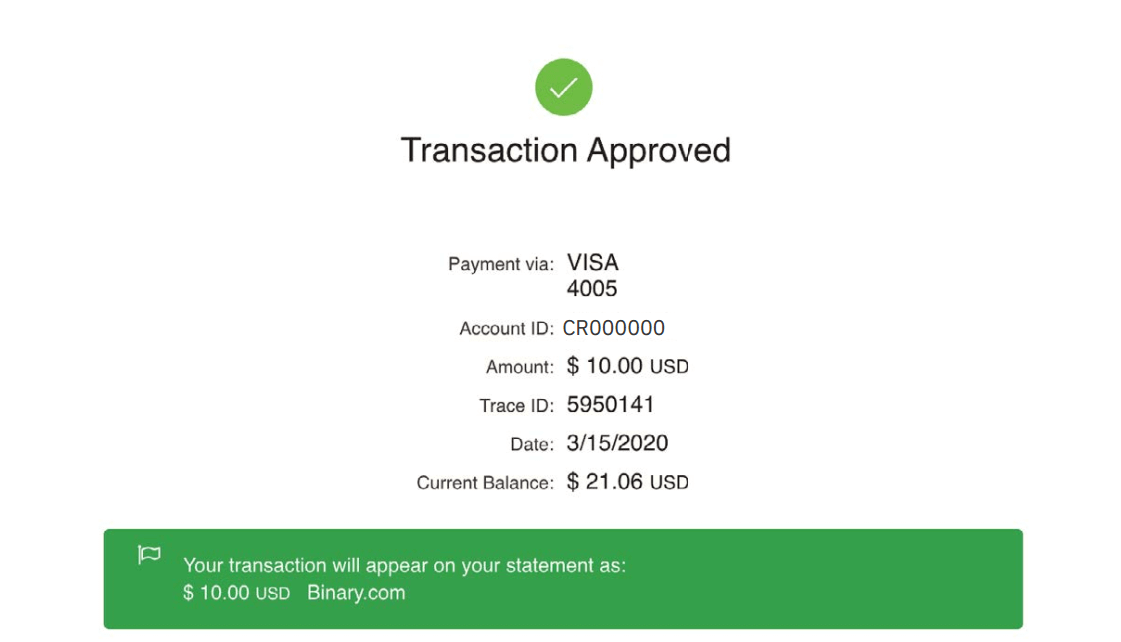
4. Once done, you will receive a confirmation of the approved transaction.
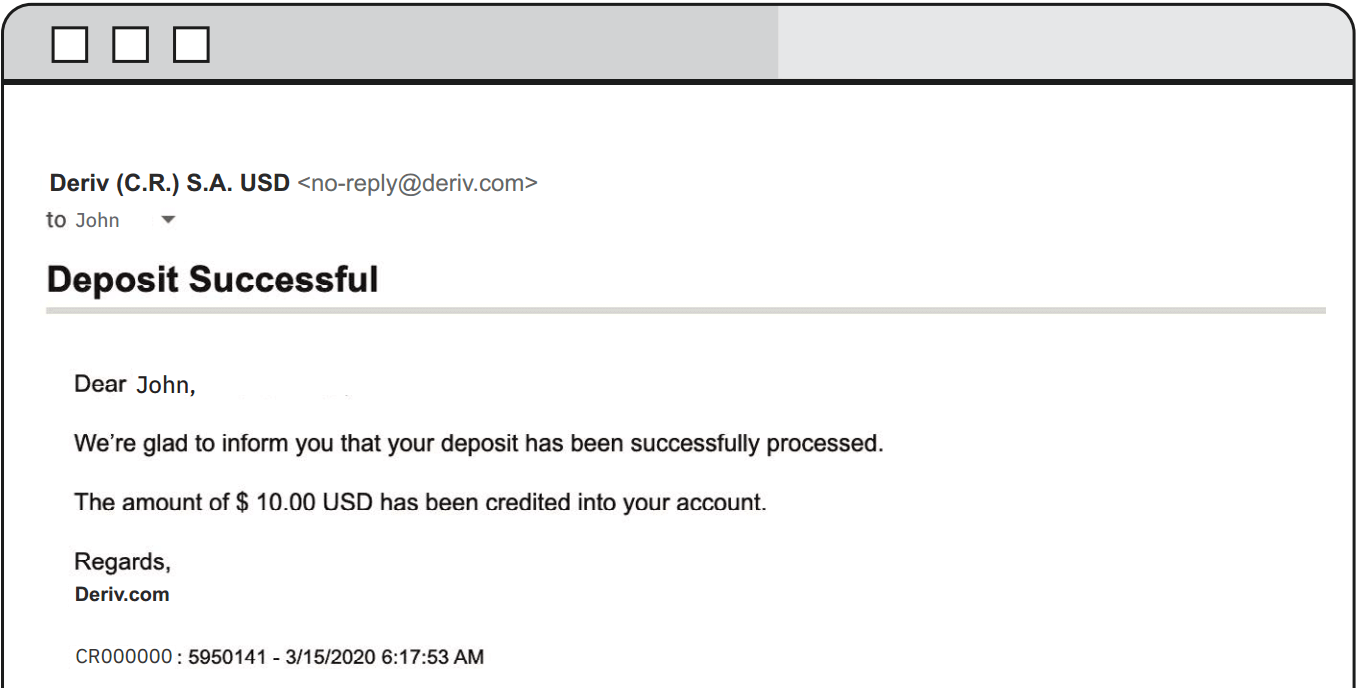
5. You will also receive an email confirmation of the successful deposit
Deposit using FasaPay
Currencies
- USD
- Deposits: Instant
- 5-10,000
1. Log in to your Deriv USD account and click on Cashier.
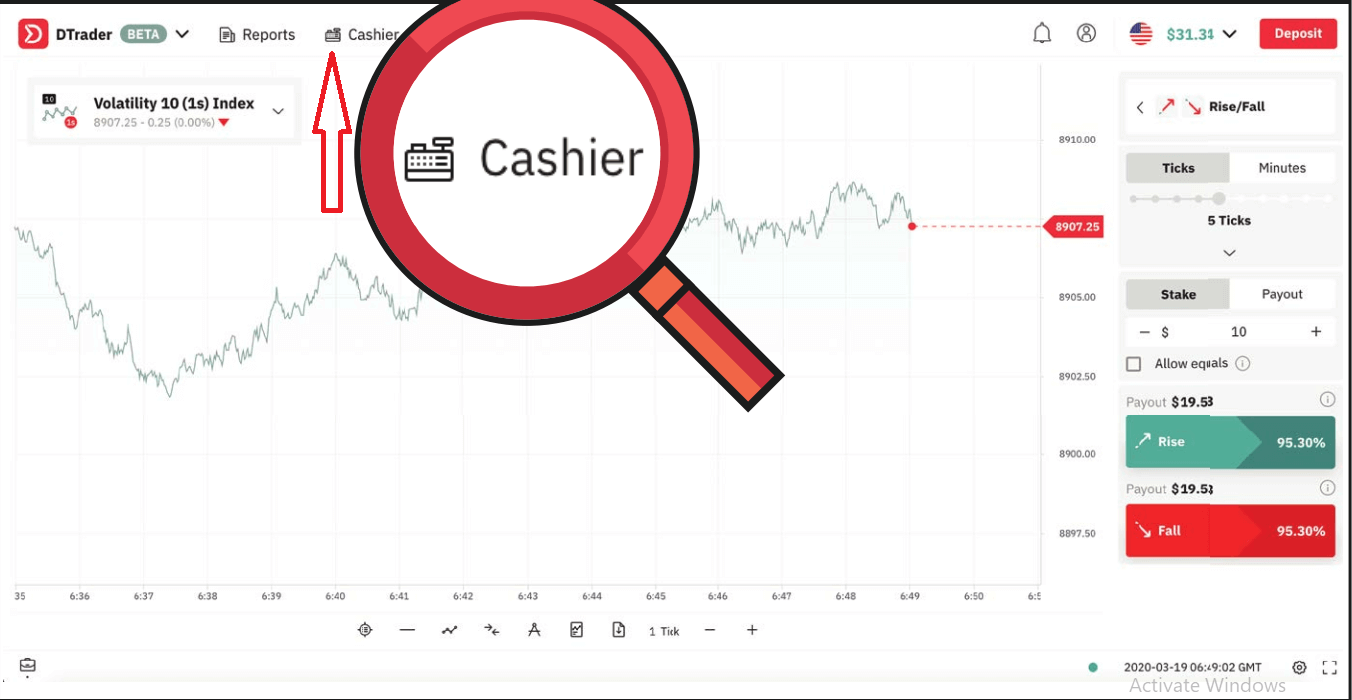
2. Click on Deposit and select FasaPay
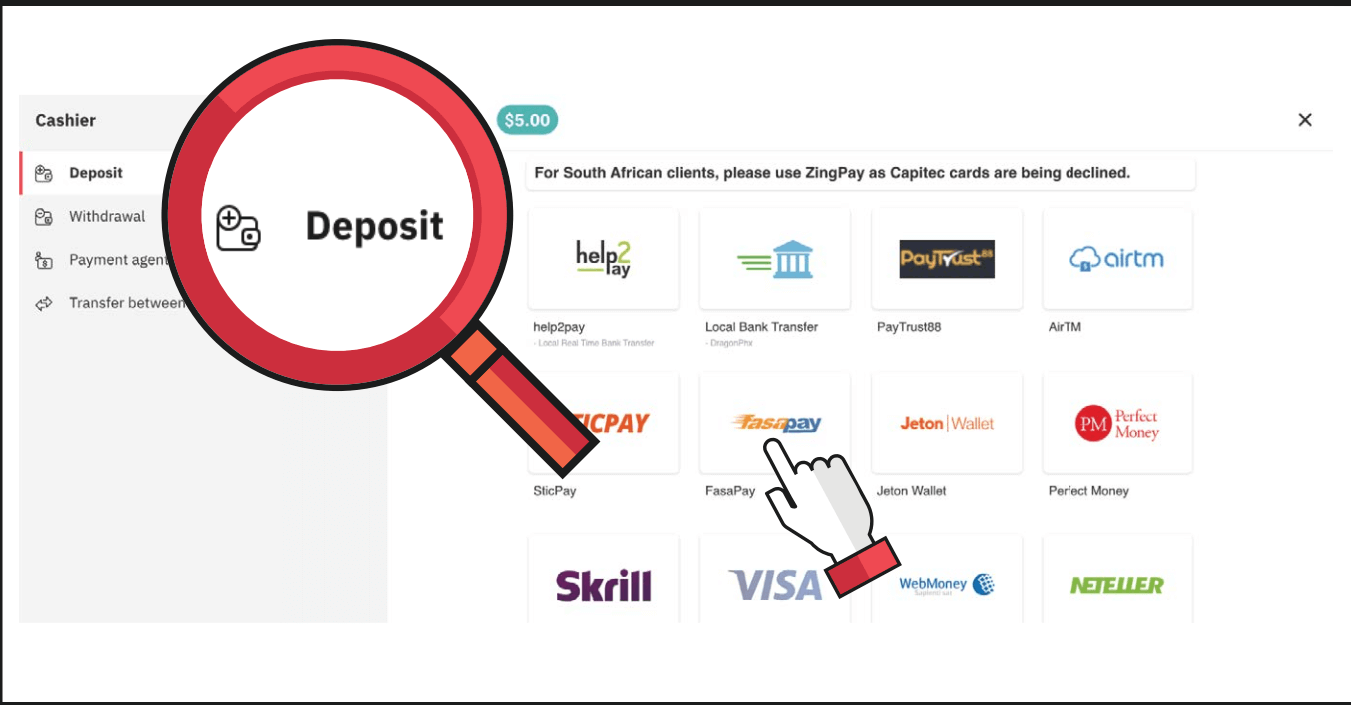
3. Enter the amount you wish to deposit and your FasaPay account ID, then click on Next
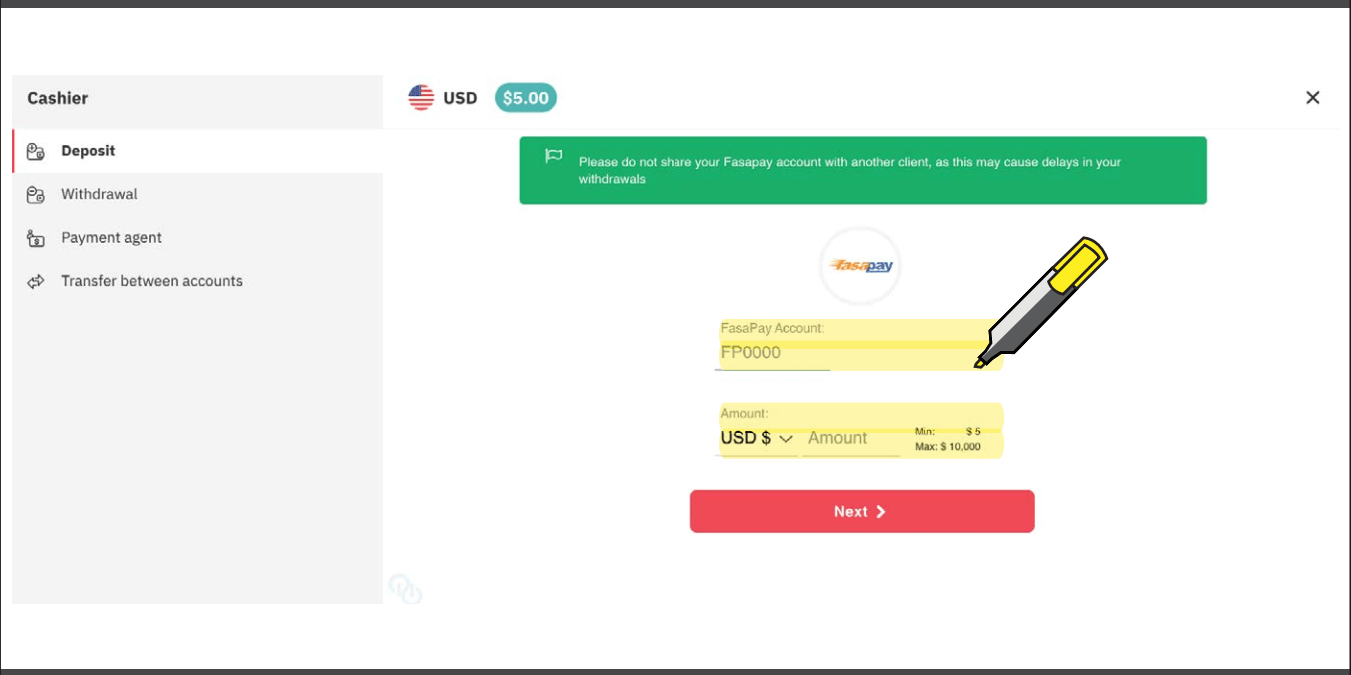
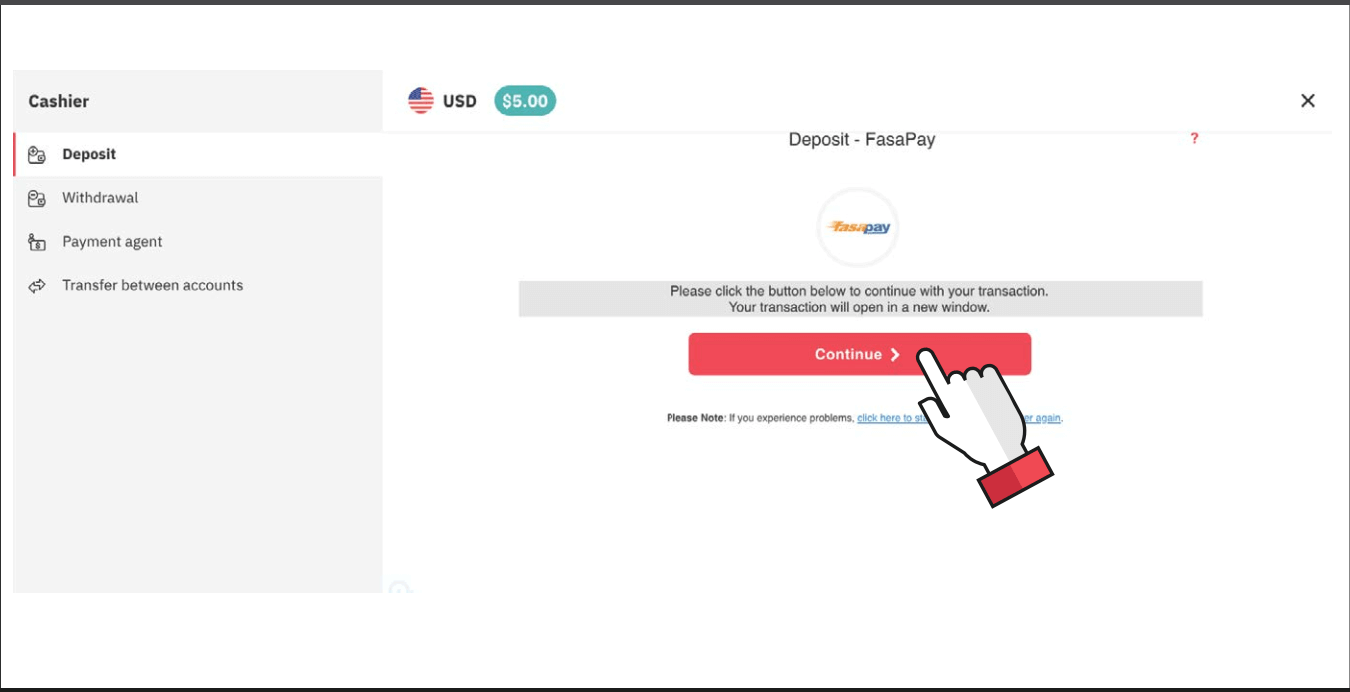
4. Click on Continue. Your transaction will open in a new window.
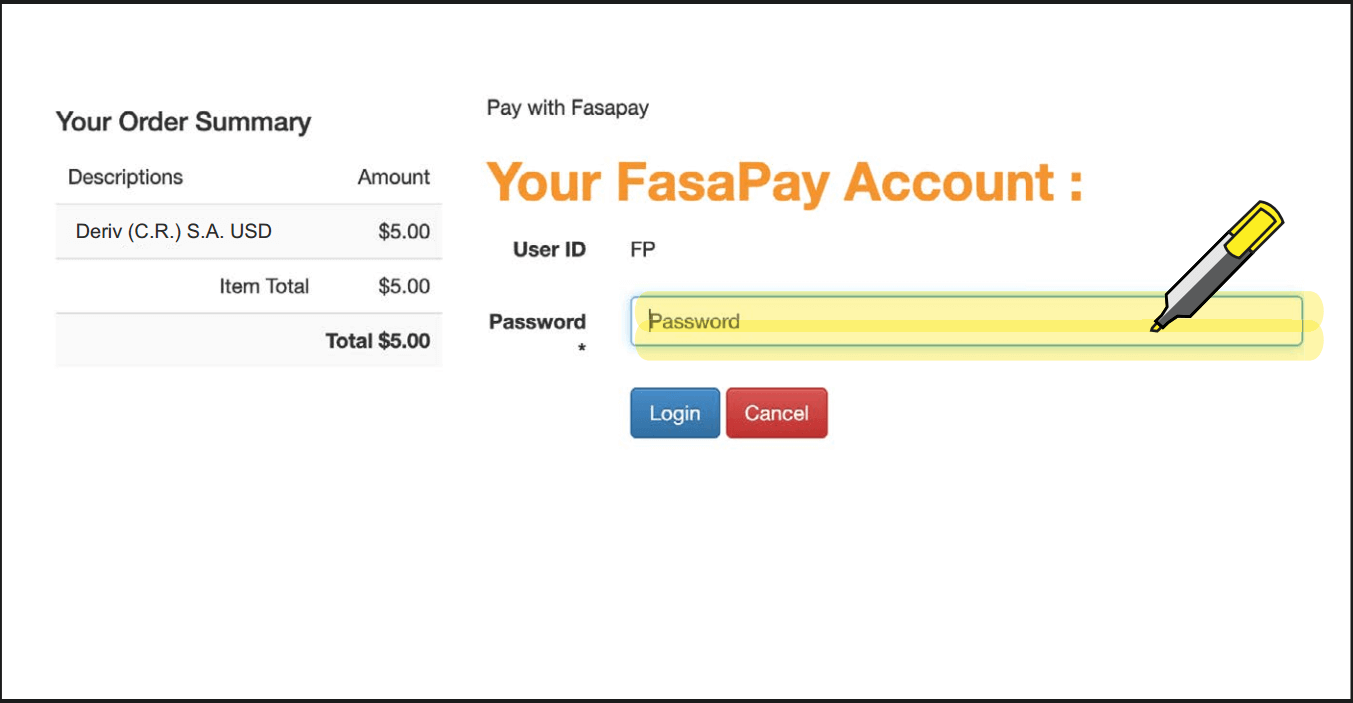
5. Enter your FasaPay account credentials.
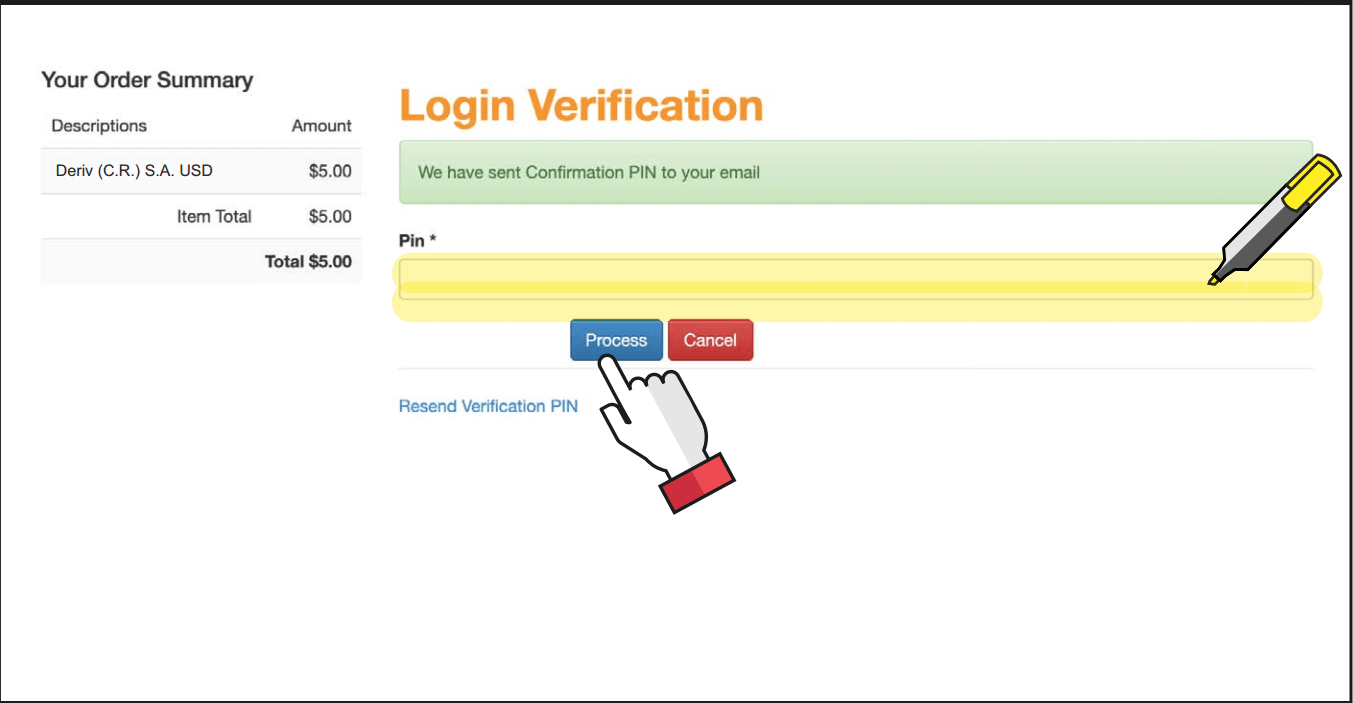
6. You will receive a confirmation PIN in your email to log in to your FasaPay account.
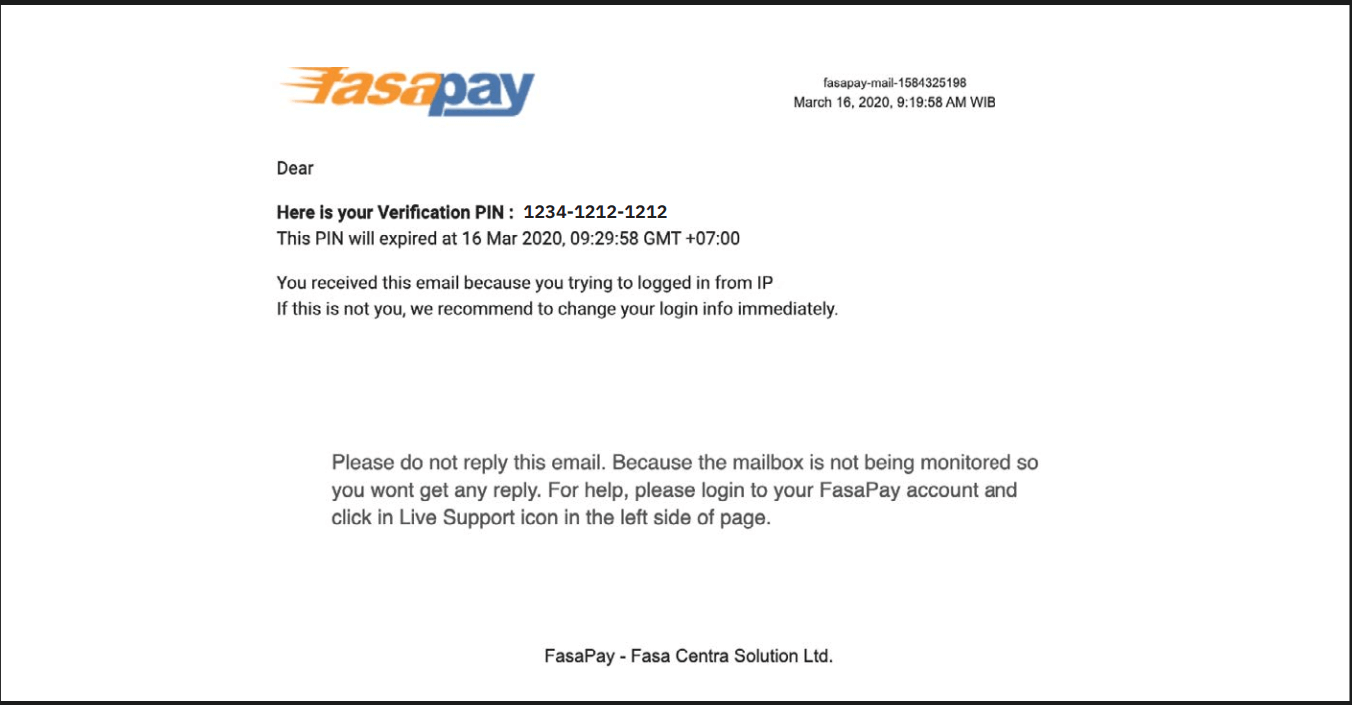
7. Enter the PIN from the email and click on Process
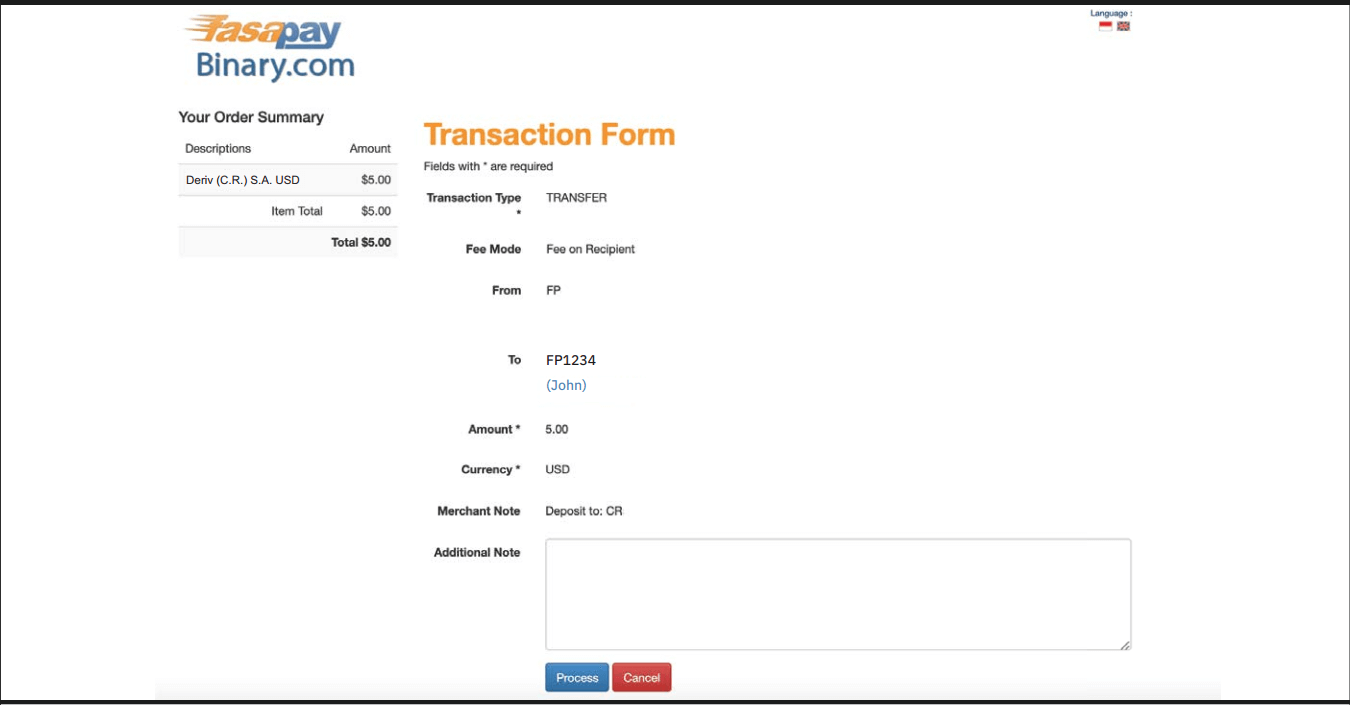
8. Review the transaction form and click on Process.
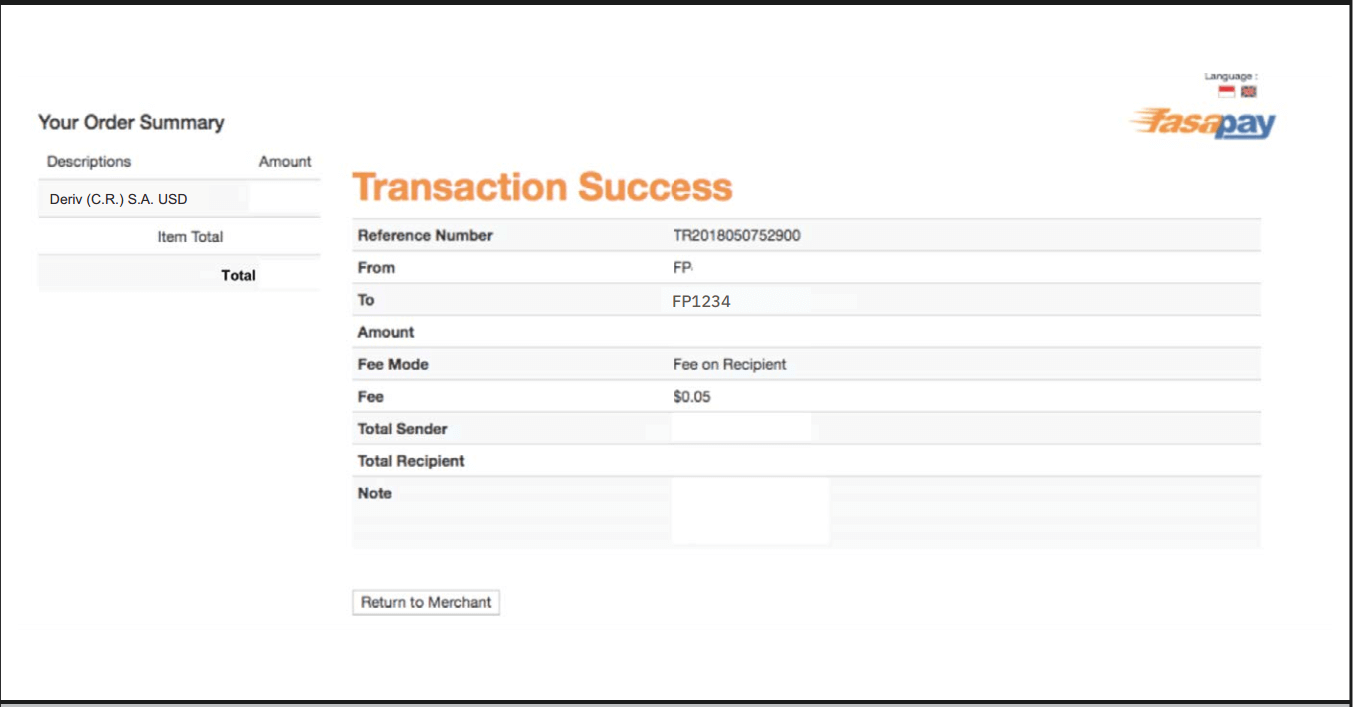
9. You will receive a confirmation message in your FasaPay account for your successful deposit.
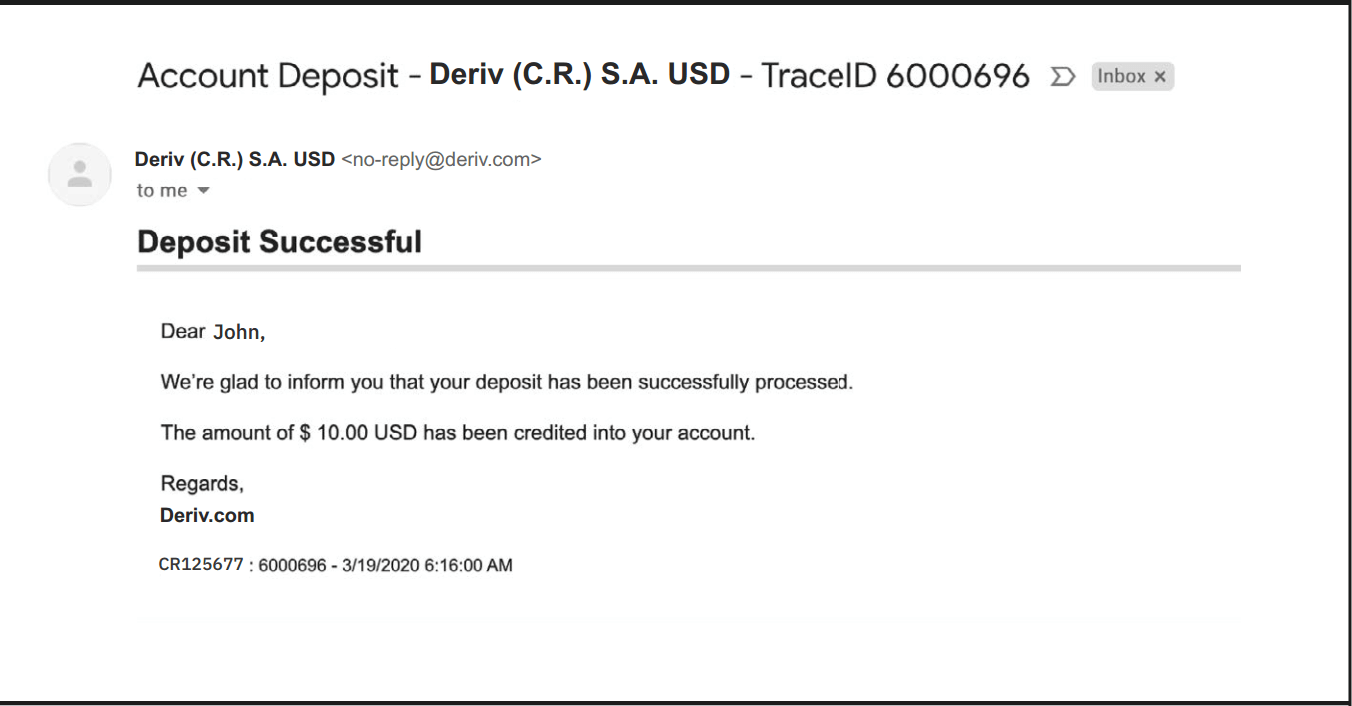
10. You will also receive an email from Deriv for your successful deposit.
Deposit using Bitcoin (BTC)
Processing time
- Funds available as soon as confirmed
Min deposit
- No minimum
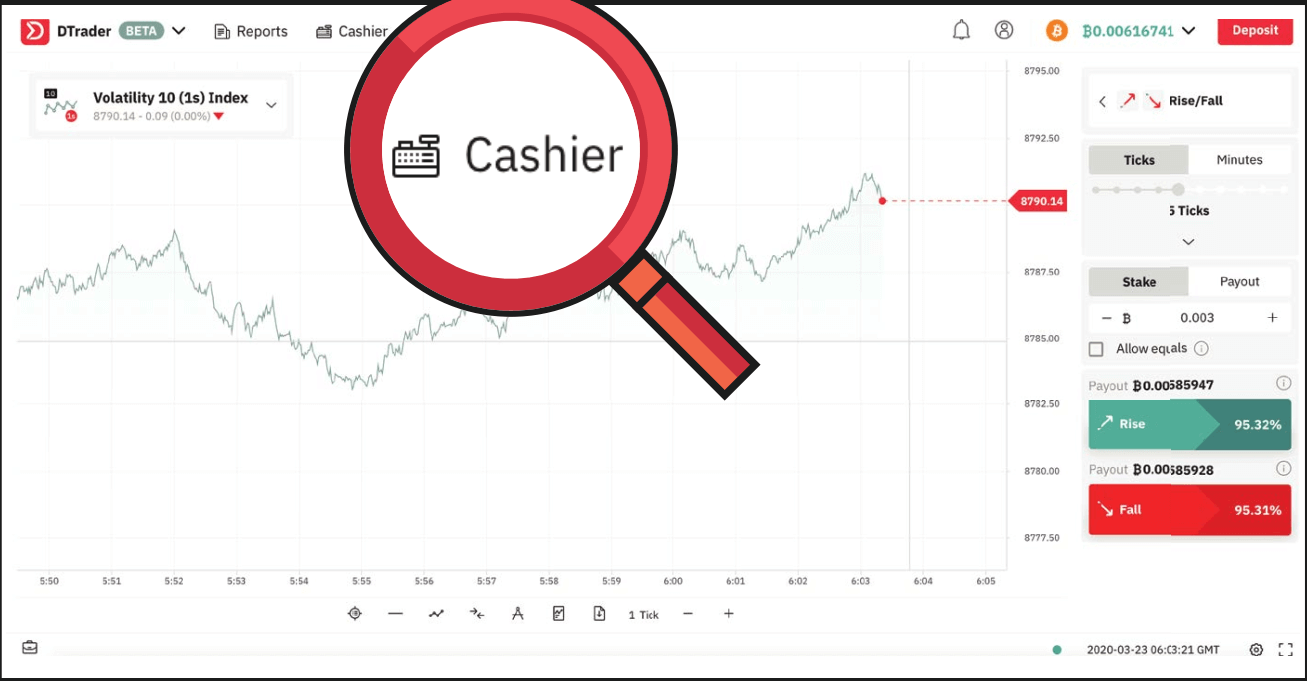
1. Log in to your Deriv BTC account and click on Cashier.
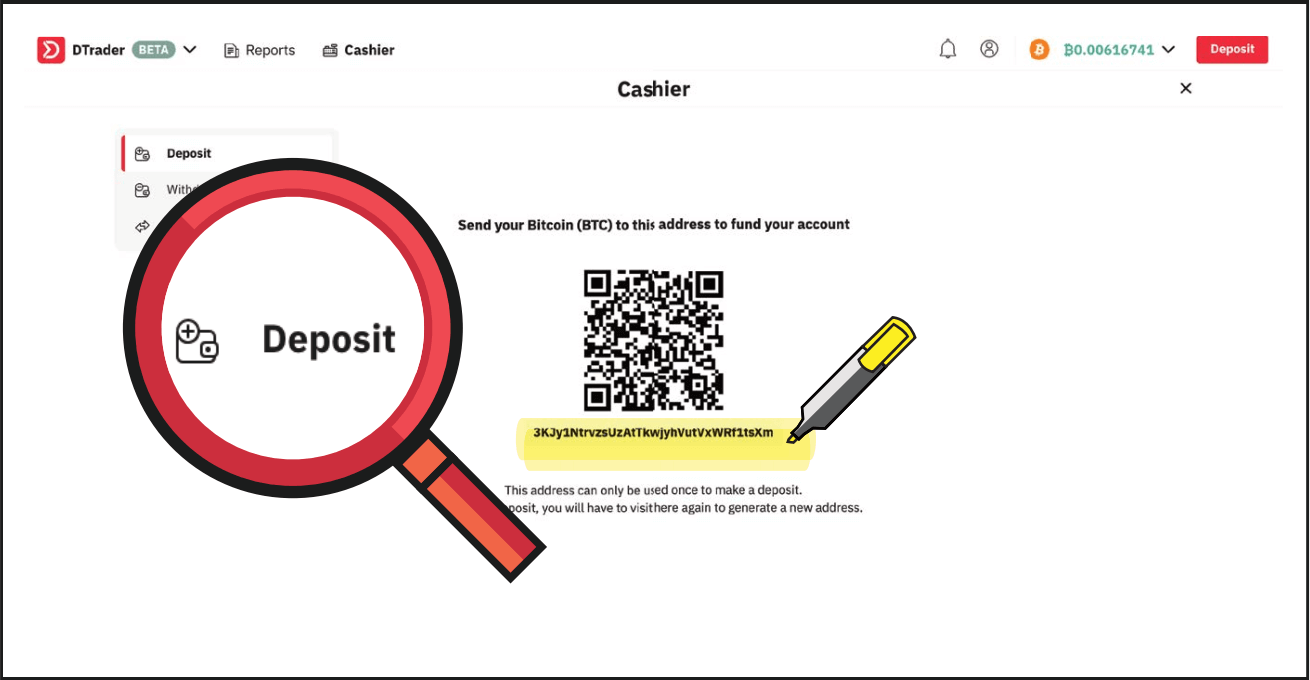
2. Select Deposit and copy your BTC wallet address.
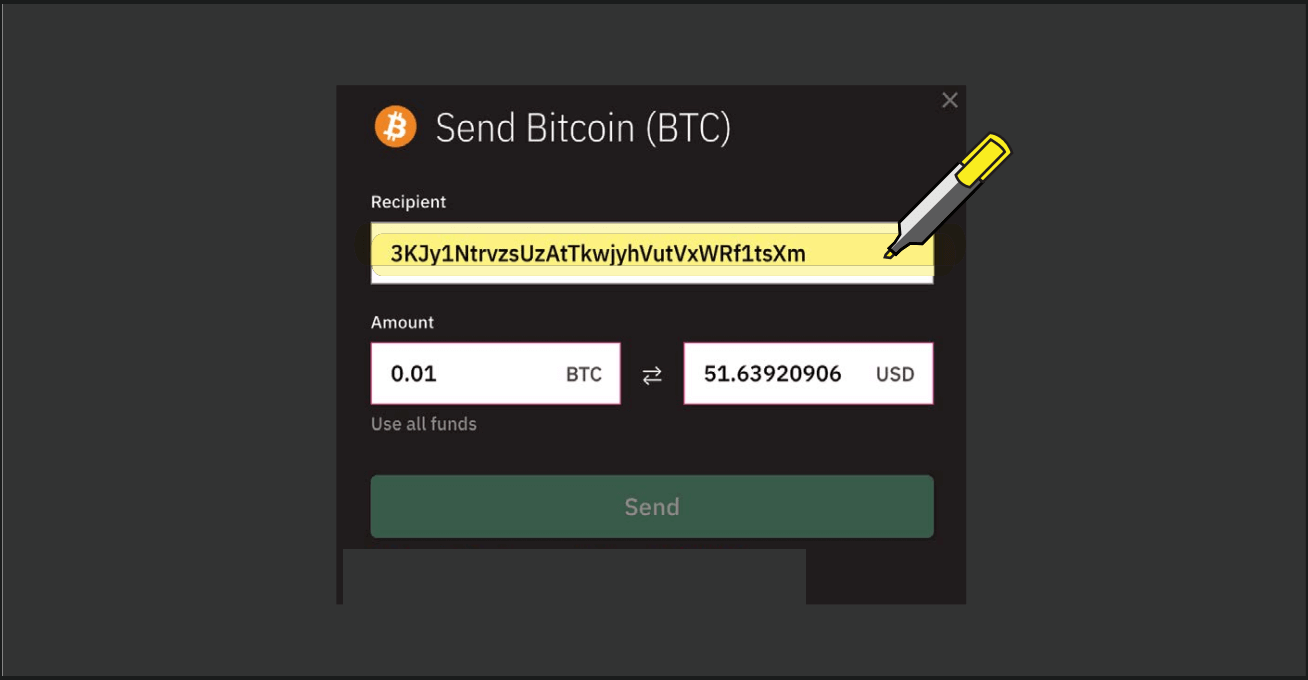
3. Paste your BTC wallet address into your blockchain wallet as shown below.
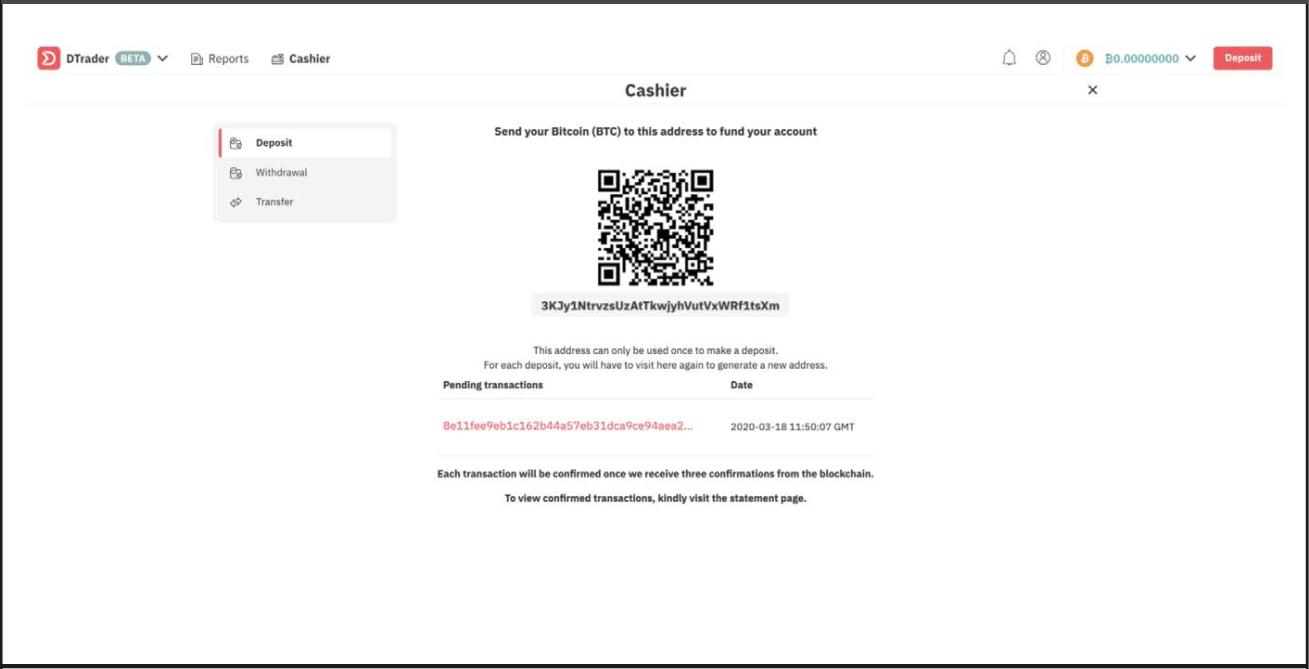
4. You will then see the transaction as pending. Your funds will be available in your BTC account as soon as confirmed.
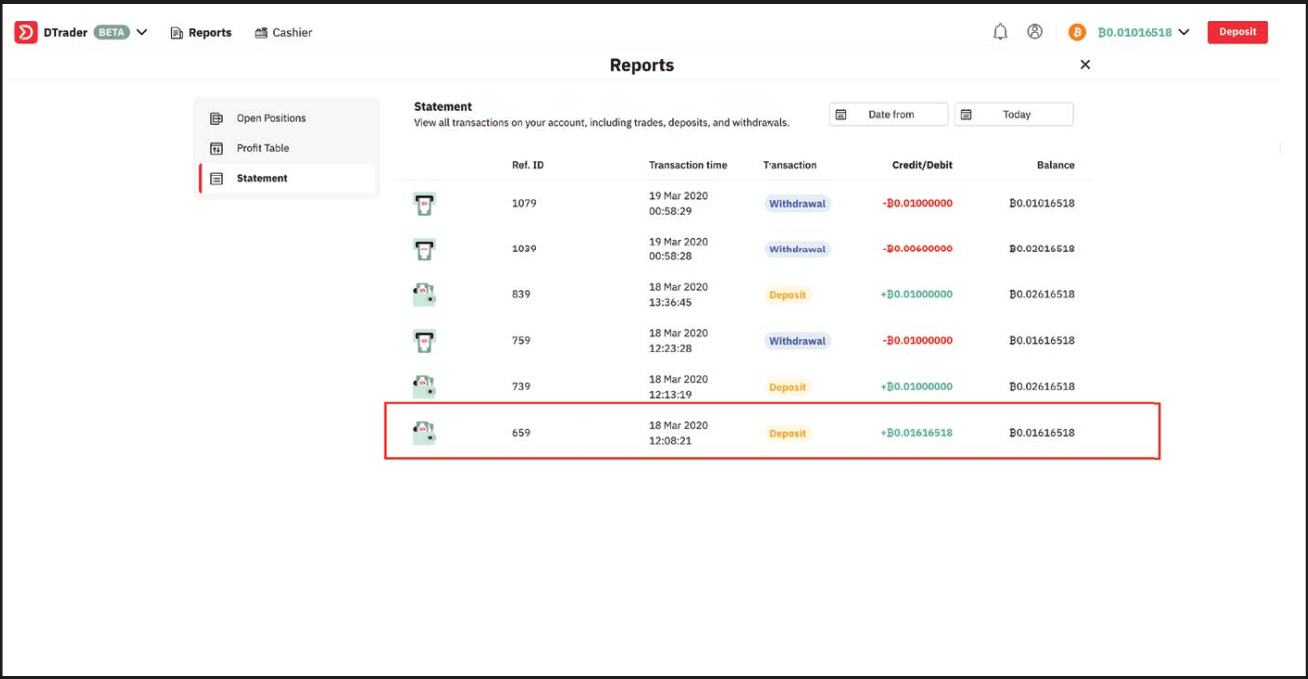
5. You can view the successful deposit in your Deriv account statement.
FAQ of Deposit
How long does it take to process deposits?
Your deposits and withdrawals will be processed within one business day (Monday to Friday, 9:00 am–5:00 pm GMT+8) unless stated otherwise. Please note that your bank or money transfer service may require additional time to process your request.
Why does my credit card deposit keep getting declined?
This usually happens to clients who are depositing with us for the first time using their credit card. Please ask your bank to authorise transactions with Deriv.
How can I deposit funds into my DMT5/Deriv X real money account?
To deposit funds into your MT5/ Deriv X account on Deriv, you’ll need to use the funds in your Deriv account. Go to Cashier Transfer between accounts and follow the instructions on the screen.
Transfers are instant. Once you’ve completed all the steps, your DMT5 account balance will be updated immediately.
What is the minimum / maximum I can deposit into my Deriv X account?
There is no minimum deposit. You can make a maximum deposit of USD2,500 twelve times a day.