Verify Deriv
Writen By

Online Trading Platform Researcher and Guide Writer
Researches broker platforms and trading account Systems.
Getting verified is the step that unlocks deposits, withdrawals and full trading access; many users get held up by unclear document scans, mismatched names or outdated proof-of-address files. Some verification checks are instant through automated systems, while others need manual review and requests for additional evidence — knowing what triggers a delay helps you avoid holds and interrupted withdrawals.
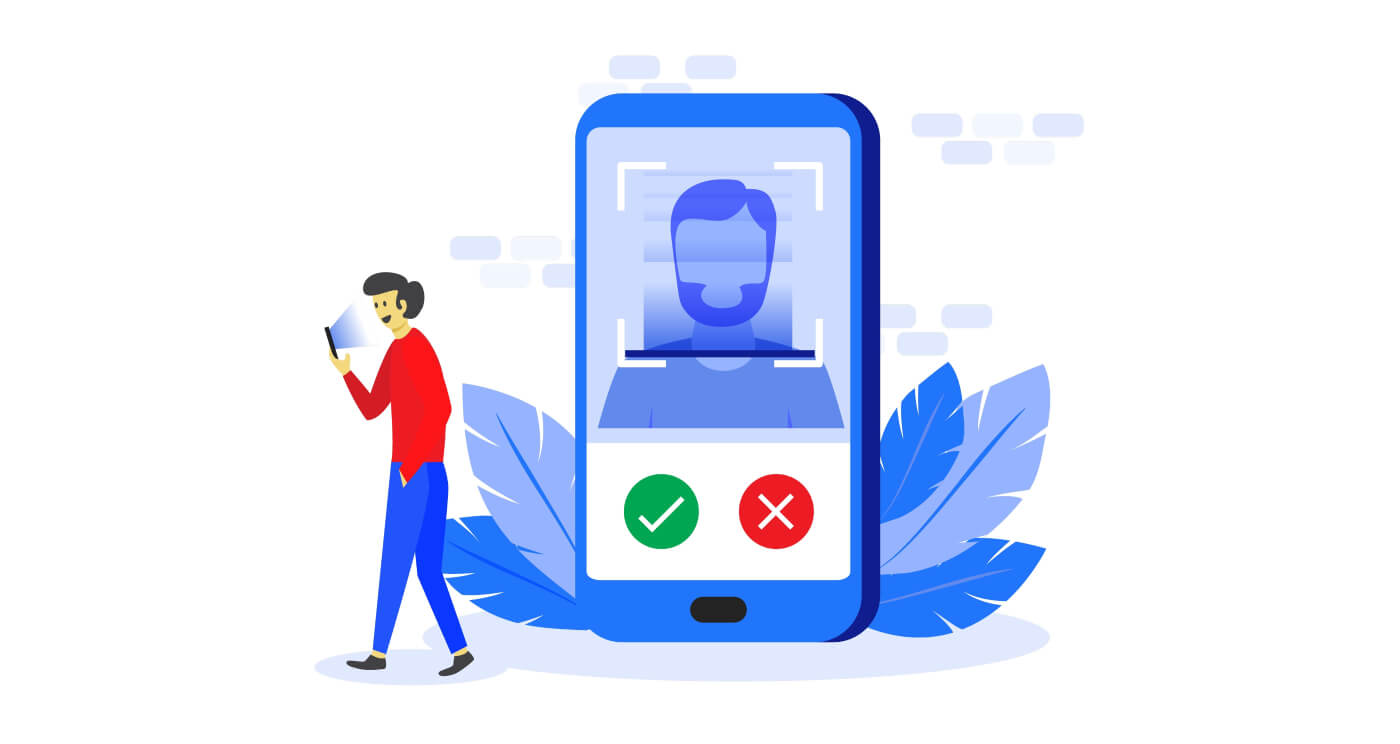
You’ll find clear, practical steps for uploading ID, proof of address and a selfie or facial check, plus file-format tips and how to correct a rejected submission. The walkthrough highlights differences for corporate accounts, typical approval windows, temporary limits for unverified profiles and basic privacy safeguards Deriv applies to protect your data so you can prepare documents that pass the first review and regain full account functionality faster.
You’ll find clear, practical steps for uploading ID, proof of address and a selfie or facial check, plus file-format tips and how to correct a rejected submission. The walkthrough highlights differences for corporate accounts, typical approval windows, temporary limits for unverified profiles and basic privacy safeguards Deriv applies to protect your data so you can prepare documents that pass the first review and regain full account functionality faster.
Documents to Deriv
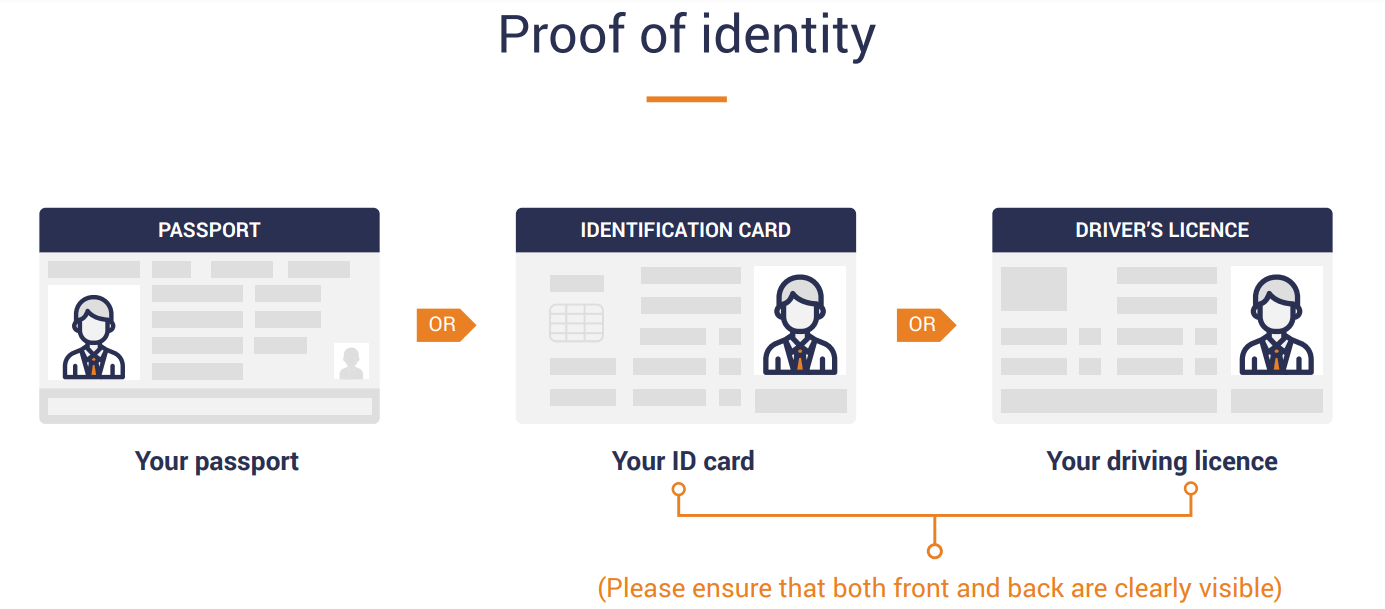
1. Proof of Identification - current (not expired) coloured scanned copy (in PDF or JPG format) of your passport. If no valid passport is available, please upload a similar identification document bearing your photo such as National ID card or Driving licence.
- Valid Passport
- Valid Personal ID
- Valid Driver`s License
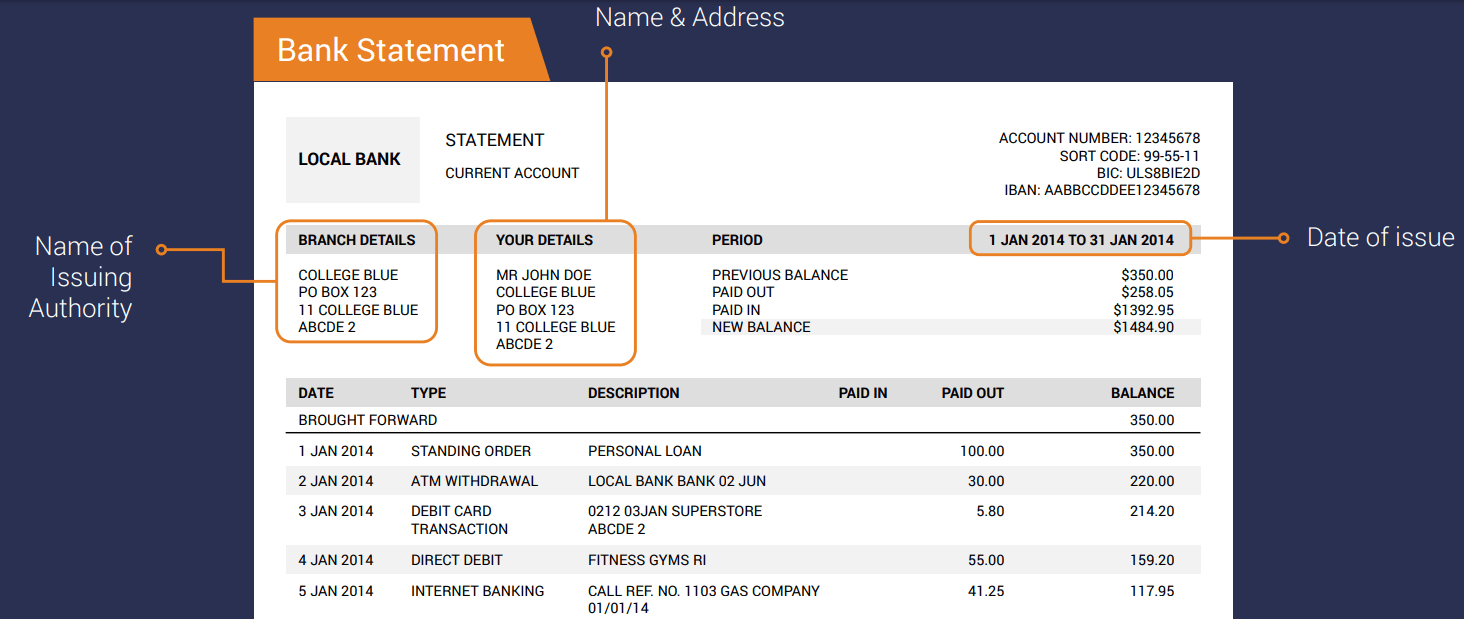
2. Proof of Address - a Bank Statement or Utility Bill. Please ensure however, that documents provided are not older than 6 months and that your name and physical address is clearly displayed.
- Utility bills (electricity, water, gas, broadband and landline)
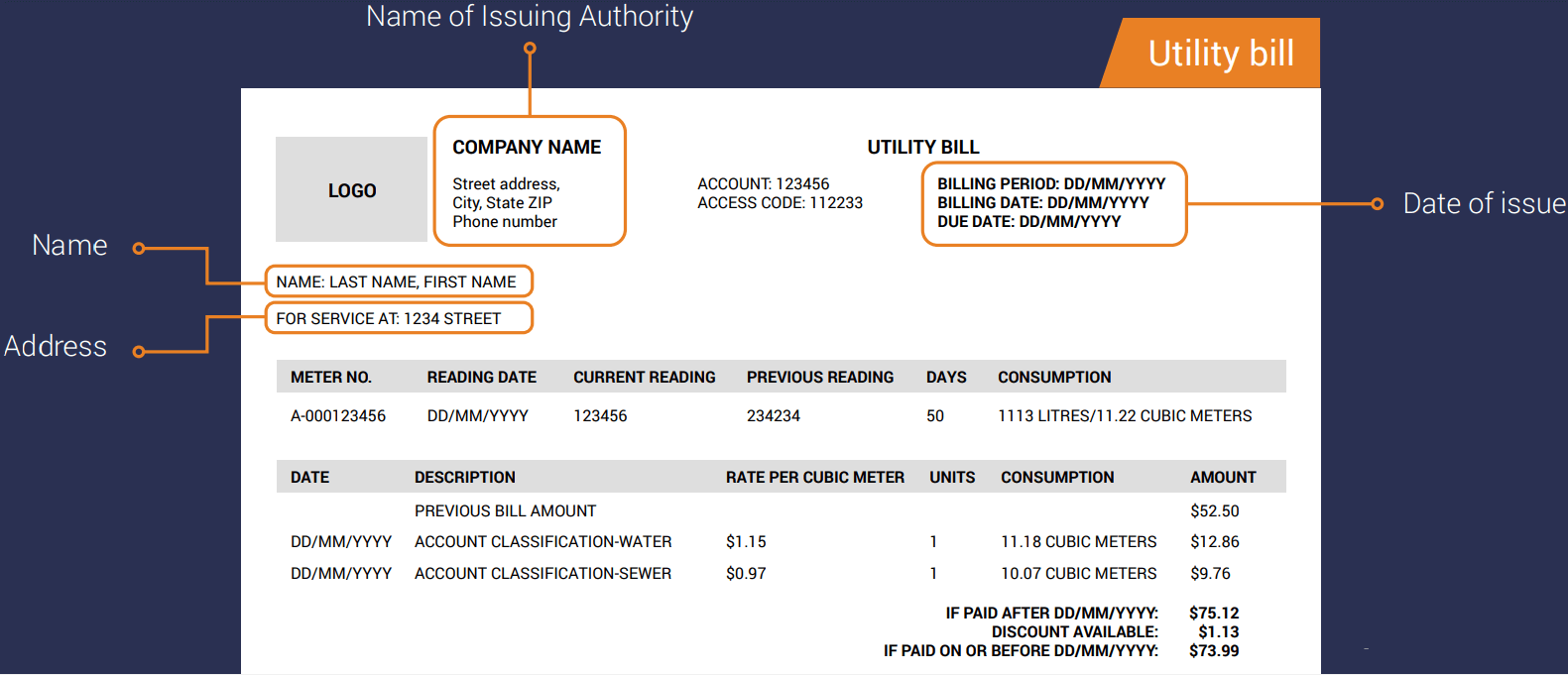
- Latest bank statement or any government-issued letter which contains your name and address
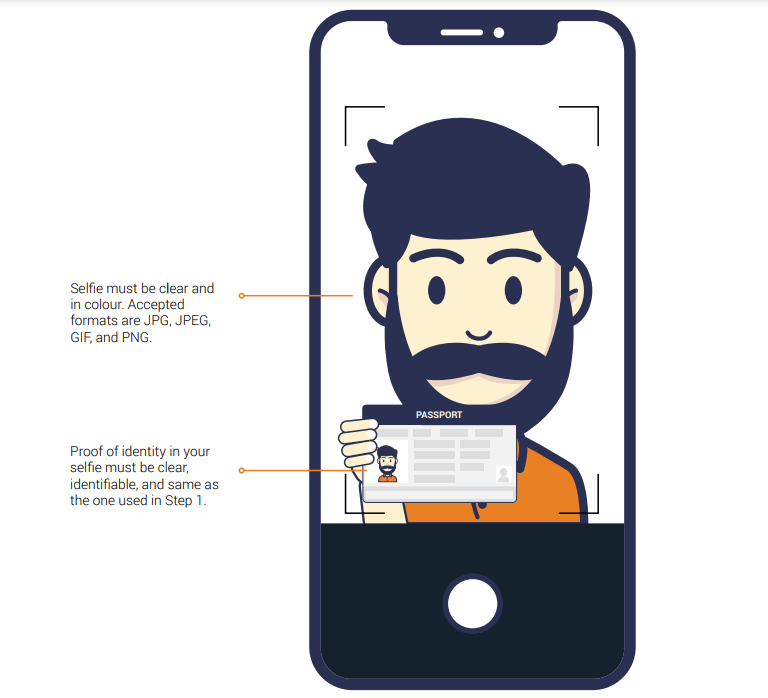
3. Selfie with Proof of identity
- A clear, colour selfie that includes your proof of identity (same as the one used in Step 1).
Requirements:
- Must be a clear, colour photo or scanned image
- Issued under your own name
- Dated within the last six months
- Only JPG, JPEG, GIF, PNG and PDF formats are accepted
- Maximum upload size for each file is 8MB
Please note that we do not accept mobile telephone bills or insurance statements as proof of address.
Before uploading your document, please ensure that your personal details are updated to match your proof of identity. This will help to avoid delays during the verification process.
How To Verify Account
Chat with live Support on Deriv Or send an email to [email protected]
FAQ of Deriv Verificaiton
Do I need to verify my Deriv account?
No, you do not need to verify your Deriv account unless prompted. If your account requires verification, we will contact you via email to initiate the process and provide you with clear instructions on how to submit your documents.How long does verification take?
We’ll typically take 1-3 business days to review your documents and will inform you of the result via email once it’s done.Why were my documents declined?
We may decline your verification documents if they are insufficiently clear, invalid, expired, or have cropped edges. FAQs
Verification usually completes within 24–72 hours: automated checks can be instant but manual reviews or requests for extra documents may extend processing to several business days. Check your account dashboard for status updates and any specific compliance requests to speed resolution.
Deriv accepts government-issued ID such as passport, national ID card or driver's licence for identity, and recent utility bills, bank statements or government letters for proof of address. Documents must show your full name and address, be clear, unexpired and match the details on your Deriv account; corporate accounts require company registration and director ID documents.
Log into your Deriv account, open the Verification or Account settings area, and upload files via the document upload tool; mobile uploads from the Deriv app also work for selfie checks. Accepted formats are typically JPG, PNG and PDF; use clear colour images, show all corners, and follow any live selfie or video guidance shown during the upload.
Common causes include expired IDs, blurry or cropped scans, name/address mismatches, PO boxes for address proof, or selfies that don't match the ID. To fix it, re-scan in good light, include entire document edges, ensure names exactly match your account, submit additional requested paperwork and respond promptly to compliance messages; contact Deriv support with your verification reference if issues persist.
You may be able to fund or trade in a limited way before verification, but withdrawal options and higher limits are often restricted until approval for regulatory and security reasons. Demo accounts remain available for practice; complete verification to unlock full deposit/withdrawal functionality and to remove temporary funding or trading caps.